
Understand the interdependencies in your product and go-to-market ideas.
Connections allow you to view which Ideas are related.
To add, edit, or remove Connections, navigate to the Connections menu on the right side bar in your chosen Idea.
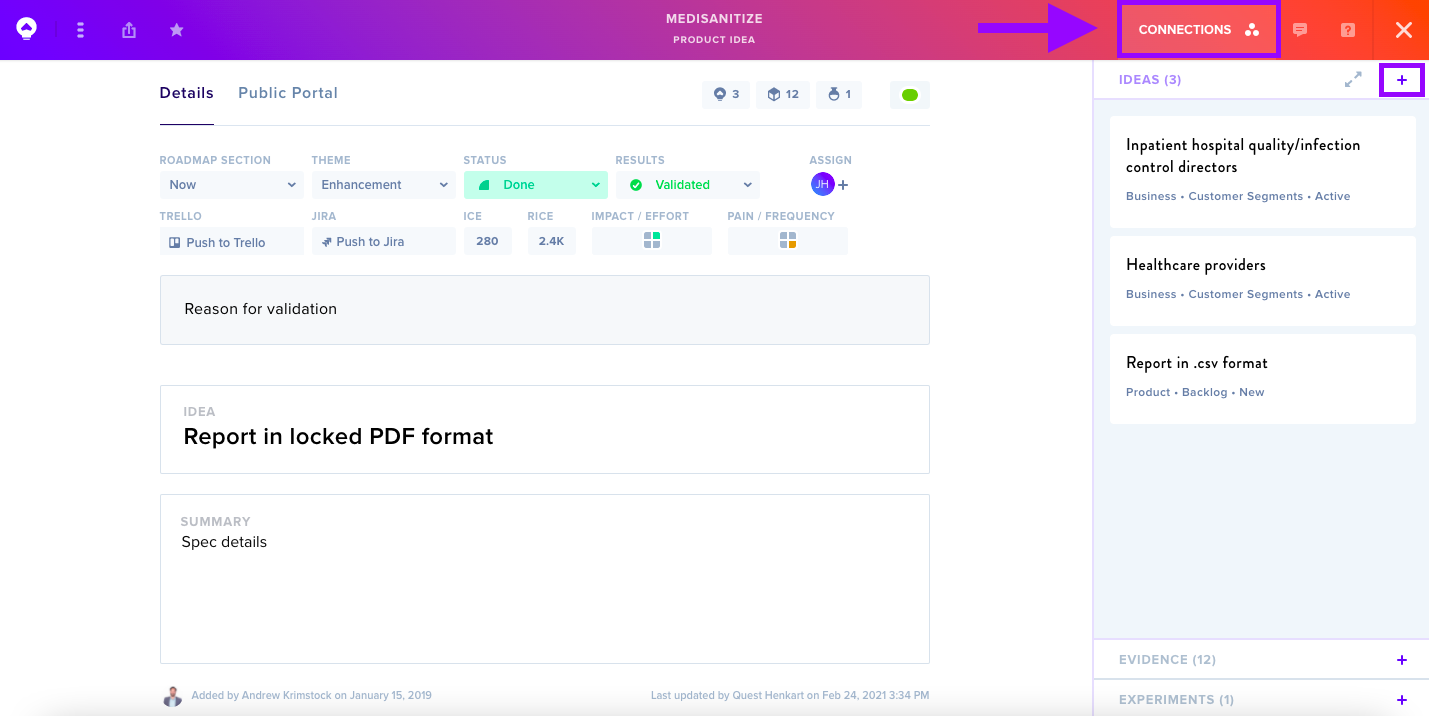
Navigate to Ideas, click on the + icon, and select the Ideas you would like to connect.
Once you've connected your Idea, you can edit or remove Connections by navigating back to the Connections menu, clicking the + icon next to Ideas, and unselecting the relevant Ideas.
Read more about Connecting Ideas on the Business Canvas.