
A Post is the most fundamental entry type in GLIDR — a straightforward method for sharing team updates or resources. Files can be added independently without accompanying text.
Creating a Post
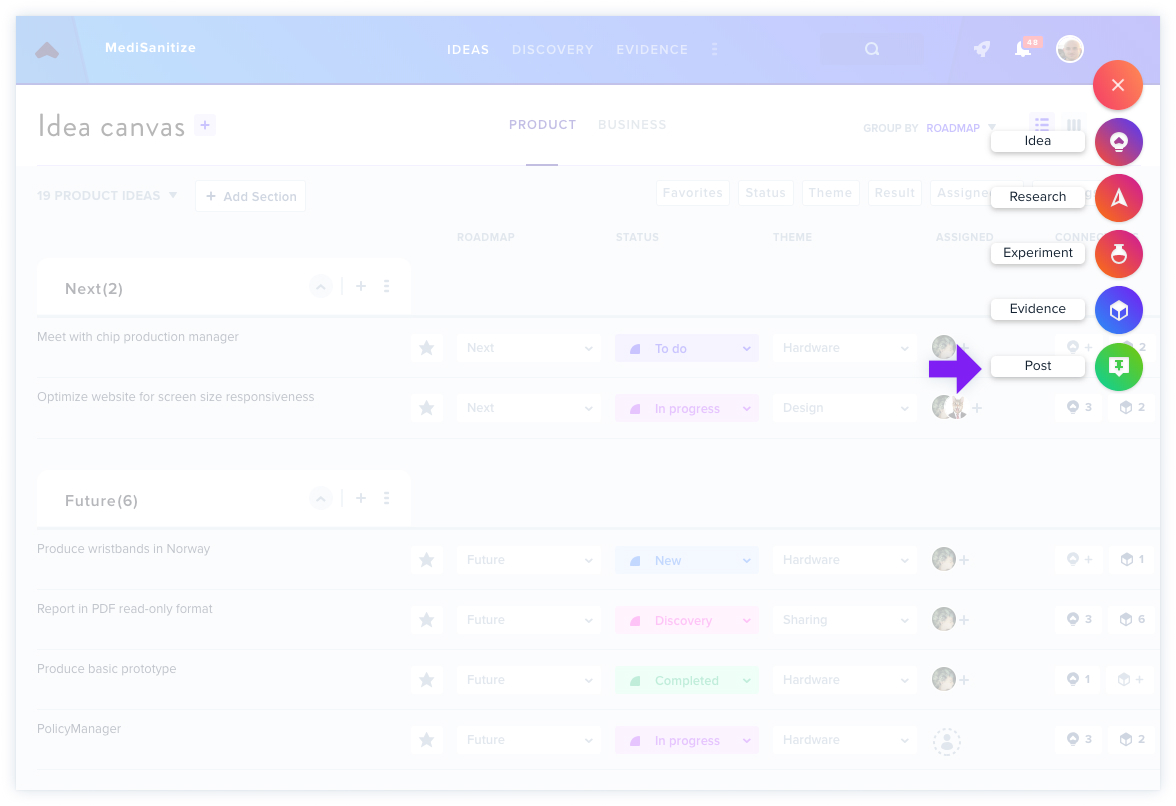
Click the red + button anywhere in GLIDR and select Post.
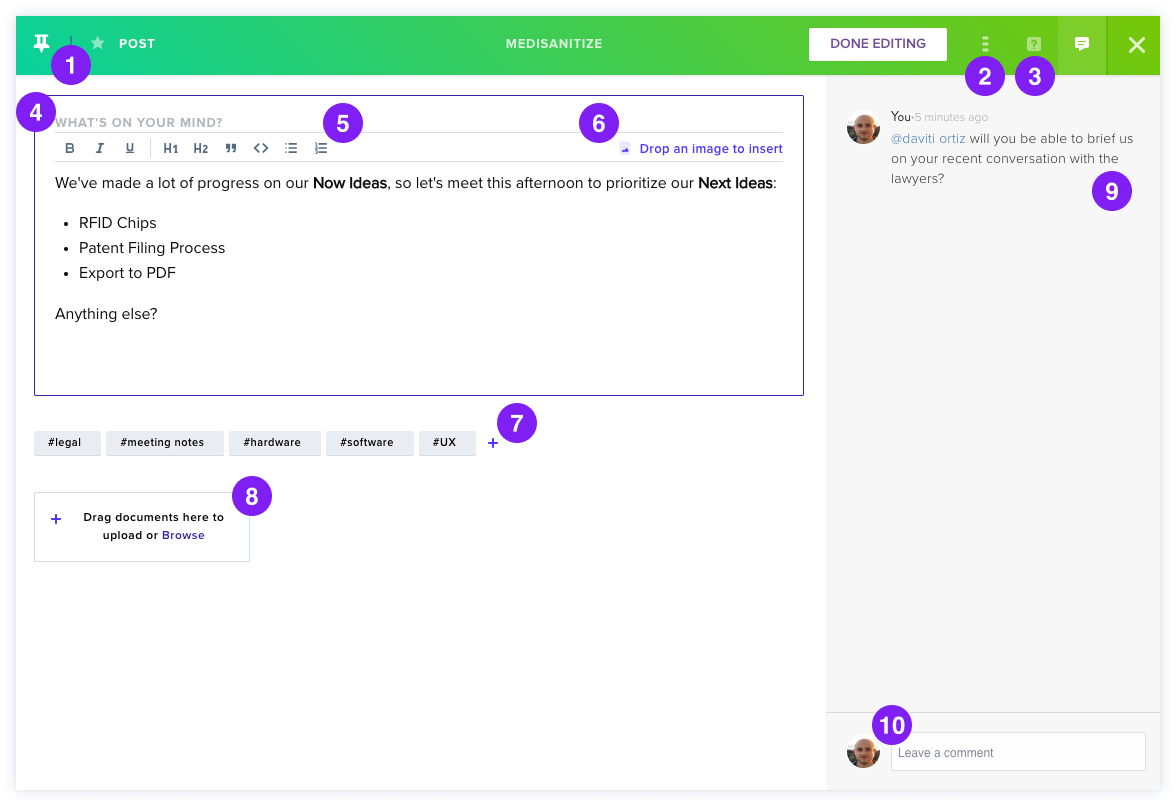
Post Features
- Favorite — mark posts as favorites to filter them later in the Activity Feed.
- Three Dots Icon — delete your Post or convert it to Evidence (Other).
- Help Sidebar — access tips for using Posts.
- Text Entry — input your post content in the "What's on your mind?" field.
- Formatting — apply bold, italics, underlining, headings, quotes, code, bullets, and numbering.
- Images — drag and drop images directly into the text box.
- Hashtags — add hashtags for searchability in the Activity Feed.
- Attachments — include files such as recordings, photos, or documents.
- Comments Sidebar — view comments that appear on the Post.
- Comment Section — add comments and @mention teammates.