
Viewer is a specific permission available at the project level.
Viewers are a way to bring members of your team — such as engineers or C-level executives — into your Project. You can even invite external stakeholders, such as consultants or customers.
Inviting Viewers to your Organization
To invite new Viewers to your Organization, go to Team Management in your Account Menu to invite new team members.

Selecting Viewer Access will allow you to add users to your Organization as Viewers in all projects. Viewers are able to view your Project, but can't make any changes.
Adding Viewers to Projects
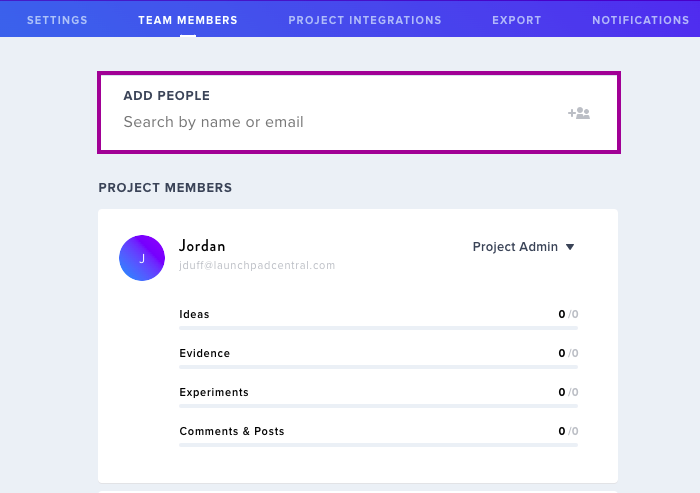
Once you've added some members to your Organization and either privatized your organization or project, you will need to choose which Project(s) to add them to within the Team Member menu of that project.
Managing Viewer Permissions
You can get specific with permission statuses. Invite members to an Organization as a Member and specify their project permission as Viewer within certain projects (or vice versa). You can easily promote users from Viewer to Limited Contributor in the Team Members menu within projects.
Role permissions can be changed at any time in Organization Permissions and Project Permissions.
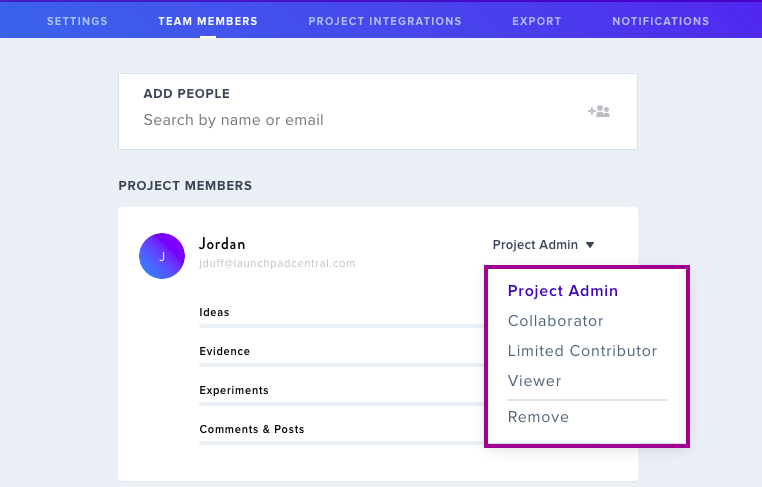
Project Settings > Team Members is also where you can remove Viewers, for example when their involvement in the Project has ended.
Learn more about Organization Permissions.