
GLIDR emphasizes collaborative teamwork by enabling you to assign Ideas on your Product Canvas to work together at the idea level. Beyond @mentioning teammates, you can assign an idea to yourself, another user, or multiple others.
How to Assign Ideas
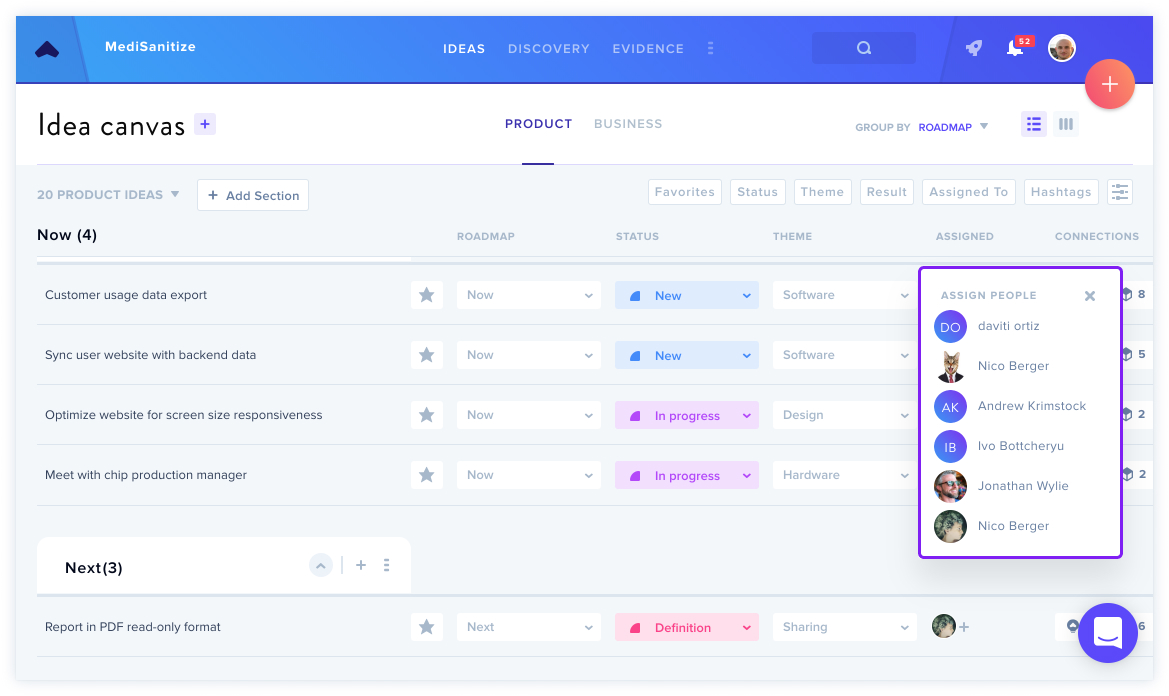
Locate the Assign dropdown alongside the Roadmap, Status, and Theme dropdowns while working on an idea. This interface lets you add or remove team members from the idea.
For efficiency in List View, click the + button in the Assigned column to quickly assign multiple ideas at once. This feature also provides immediate visibility into who's working on each idea.
Important Note
Even if teammates aren't added to an Idea, the Idea remains visible and open for comments.
Learn more about Connecting Ideas.