Ideas are a core component of your project, used to organize and prioritize product concepts for your backlog or roadmap. You can start with Business or Product Ideas and populate your canvas before gathering Evidence or after conducting tests and customer interviews.
Card Details
The Idea interface includes these key elements:
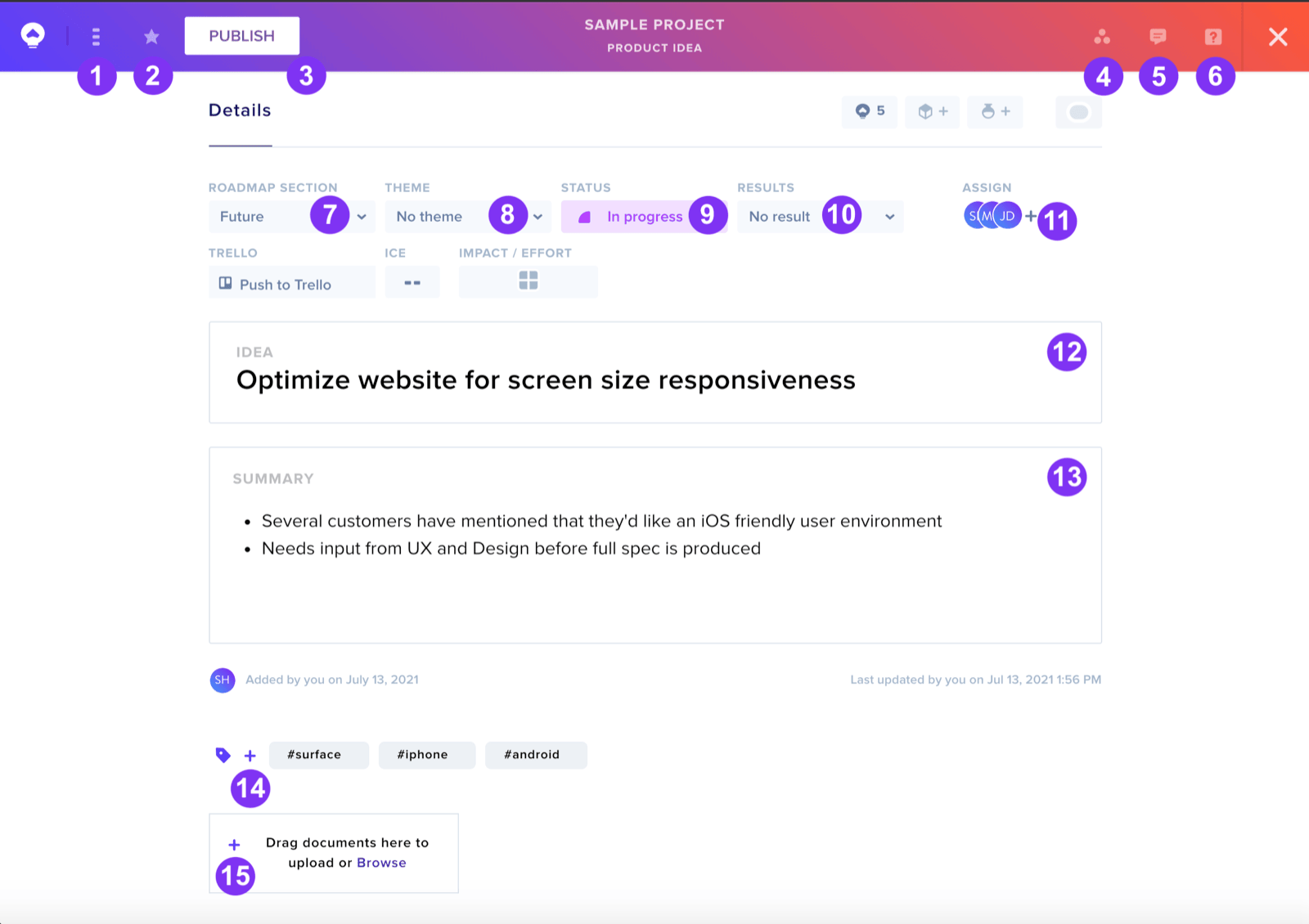
- Three-dot Menu — Delete ideas or switch between Business/Product Idea types
- Favorite — Bookmark ideas for later access
- Publish Button — Add idea to your project
- Connections — View linked Evidence, Experiments, and other Ideas
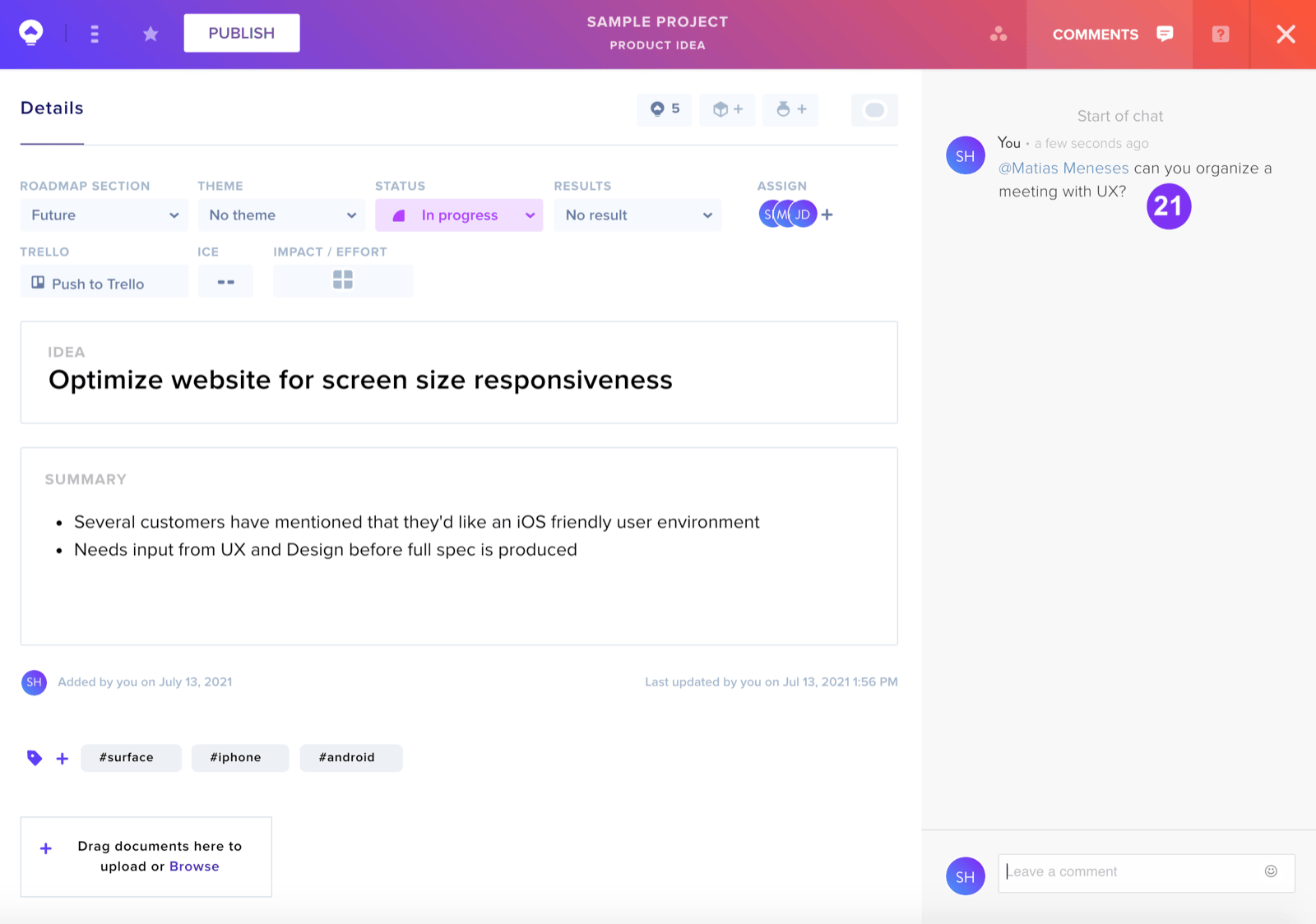
- Comments — Open the Comments Sidebar
- Help — Access the Help Sidebar
- Roadmap Section — Assign idea to specific roadmap sections
- Theme — Categorize ideas by matching themes
- Status — Update idea state
- Results — Mark ideas as Validated or Invalidated
- Assign — Add Team Members to ideas
- Idea — Brief description field
- Summary — Detailed notes section
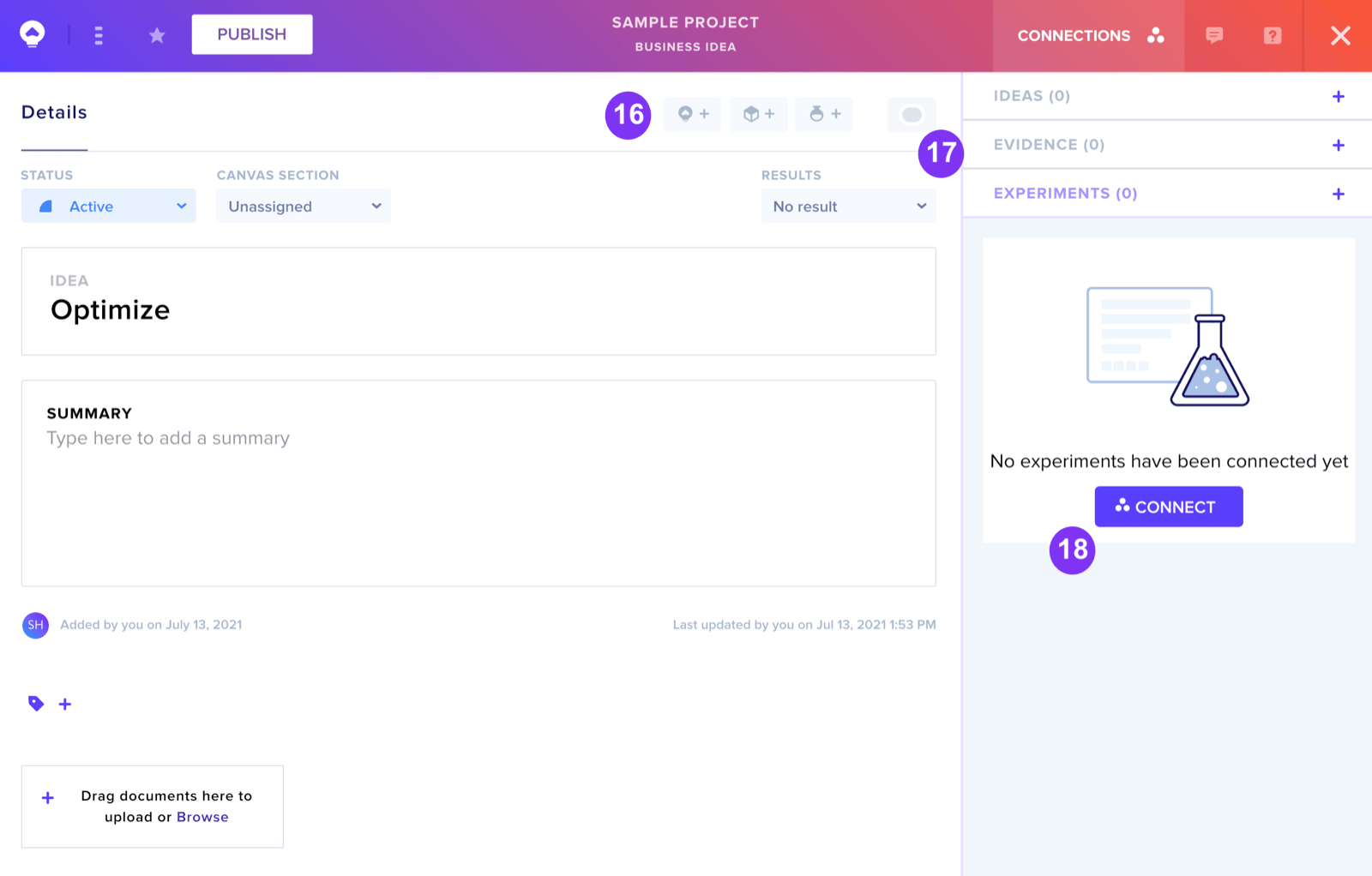
- Tags — Enable searchable categorization
- Attachments — Link recordings, photos, or documents
Connections
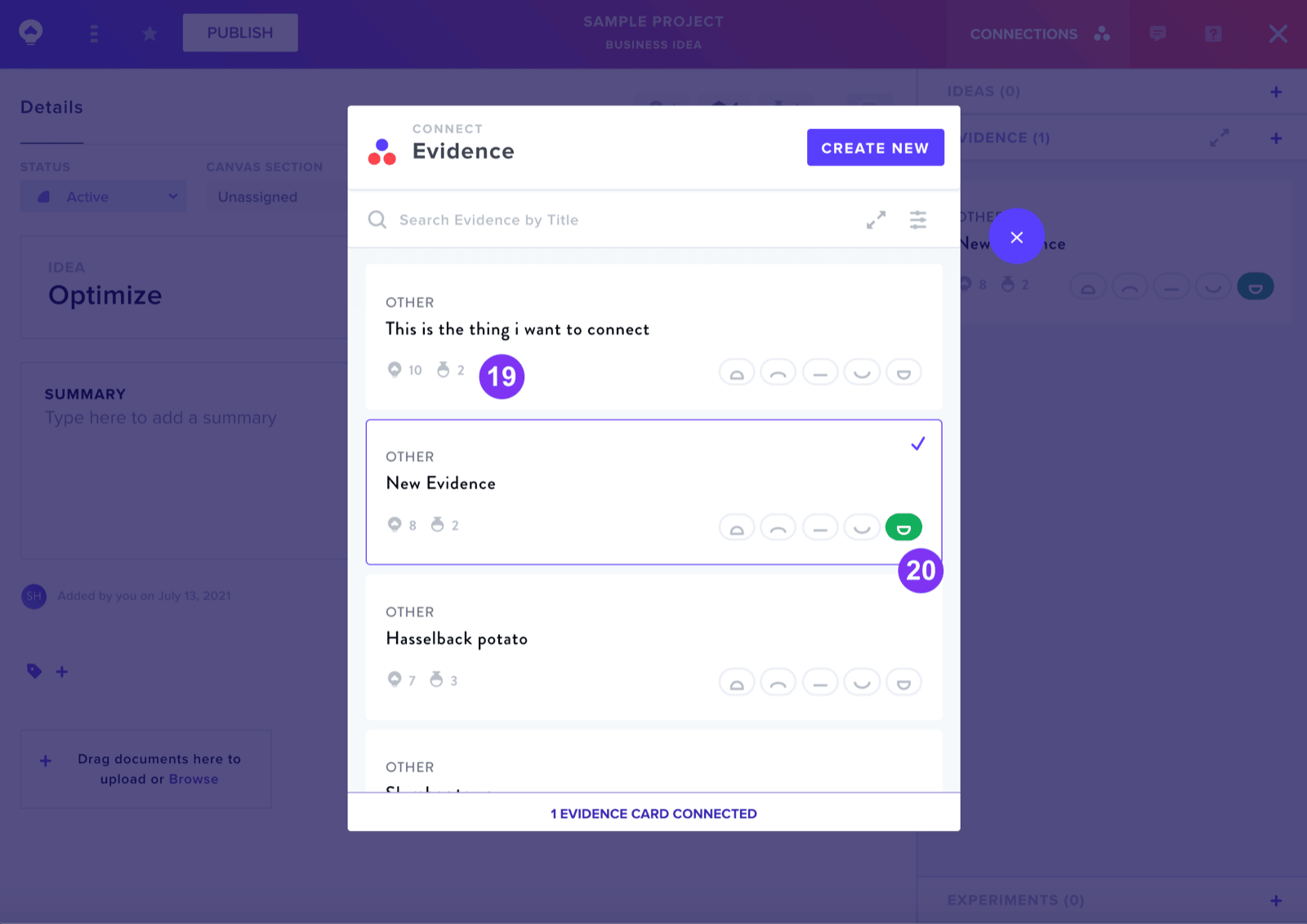
The Connections feature allows you to view and add connections to Evidence, Experiments and other Ideas. The interface shows linked item counts and includes filtering options by type and a Connect button for creating new relationships.