
The Status menu helps organize ideas with three options: Active (default), Parked, and Archived.
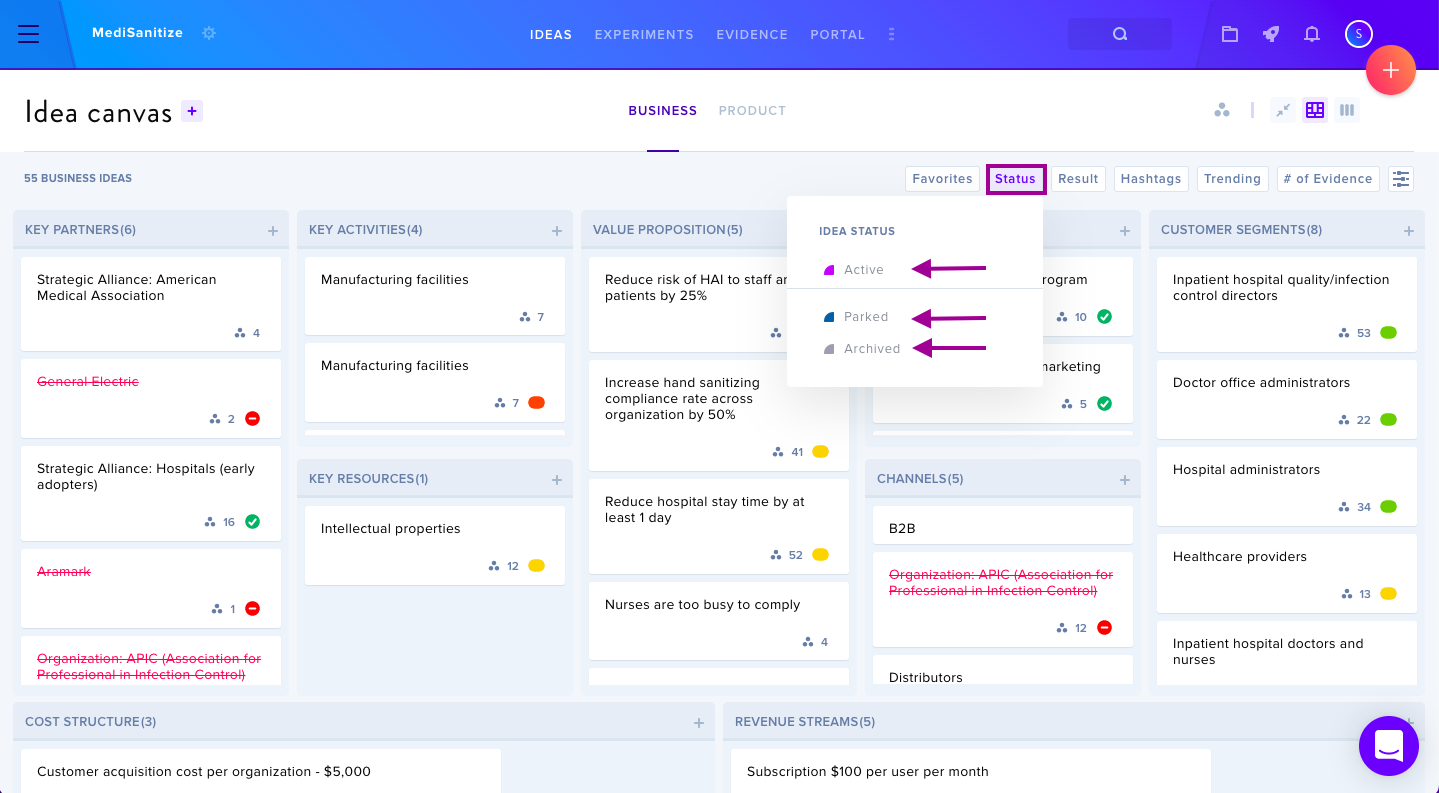
Status Definitions
- Active — Idea is actively being worked on
- Parked — Idea does not support current canvas, but may be returned to at a later time
- Archived — Idea is no longer being worked on
Filtering Ideas
Filter by status through the Status menu on the canvas. Selecting a specific status displays only cards in that category. Click Reset to return to the default Active view.
Changing Status
Open an idea card and select a new status from the Status menu at the top left. The card will then appear in its new status category.
Important Note
It is better to archive an idea than delete. Once a card is deleted, it can not be restored.