
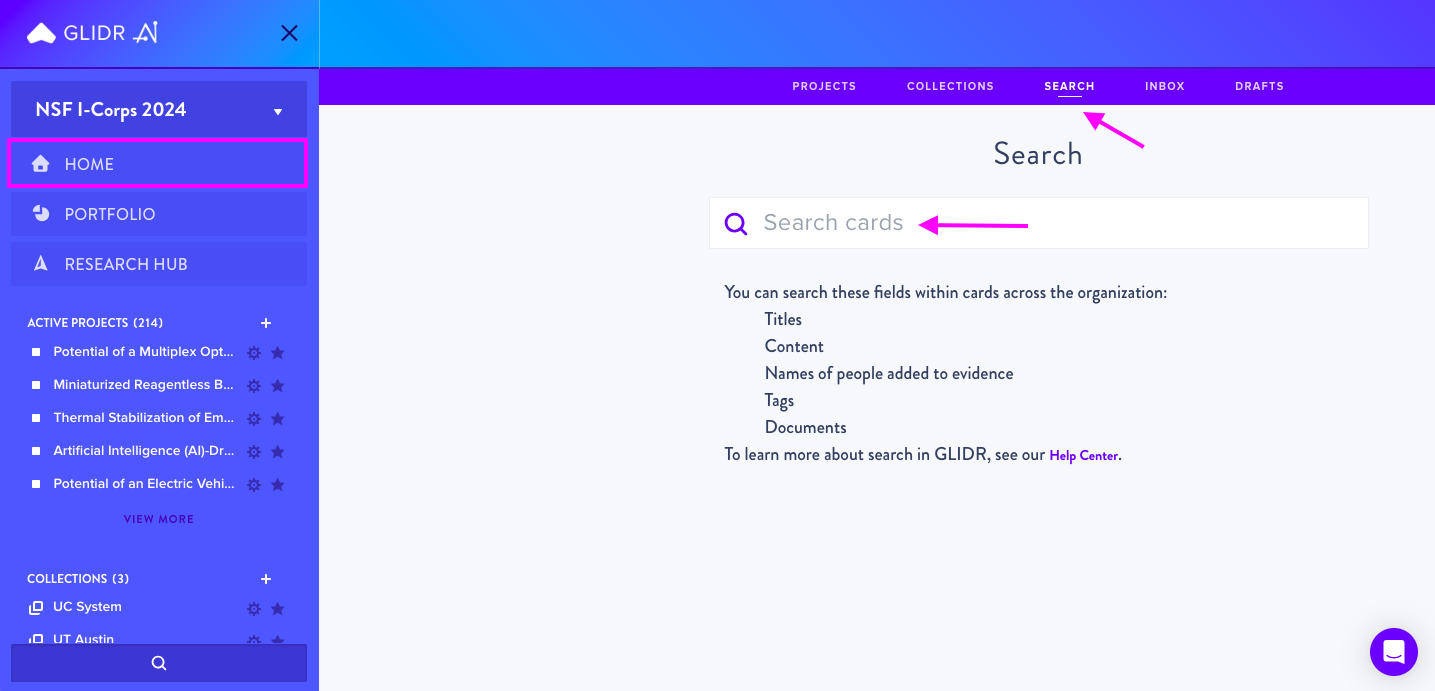
Search data within your projects and across your organization by navigating to Home > Search. Enter search terms in the search box to view results below, then select an item to open the relevant card.
Searchable Content
The search function covers:
- Titles of cards
- Content of text fields (except comments)
- Evidence contact names and details
- Tags
- Documents (attachment titles)
Alternative Search Method
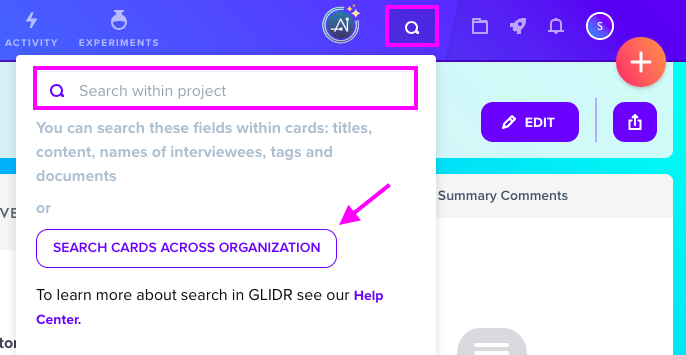
You can also search from within a project by clicking the Search button in the top right navigation bar. By default this searches the current project only, but you can expand the scope to search cards across your entire organization.
Tips and Tricks
- Exact phrase matching: Wrap phrases in double quotes. For example,
"doctor of epidemiology"returns only cards with that exact phrase. - Term exclusion: Add a hyphen before a word to exclude it. For example,
doctor -sanitationretrieves entries containing "doctor" that don't include "sanitation".