
Generate your data with the click of a button.
To generate a project, navigate to the three bars icon located at the top left of the screen. Click on the bars, and a sidebar will appear on the left. Scroll down to Active Projects and click the Plus Button.
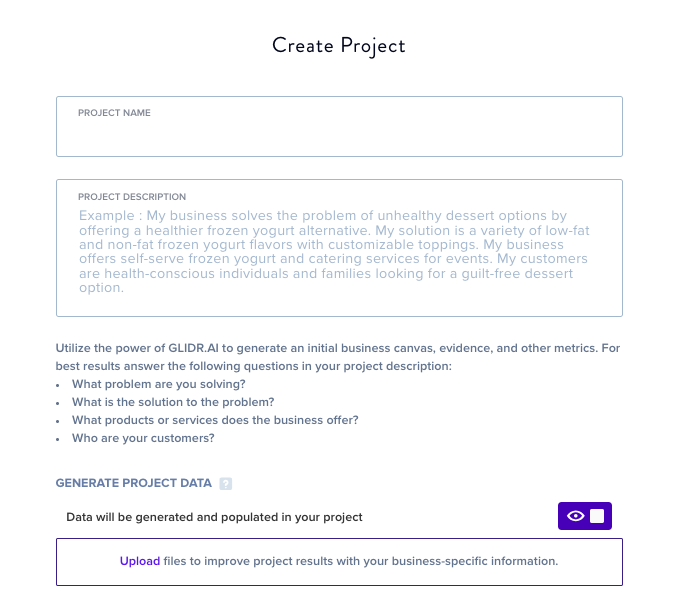
Next, title your project and enter a description of the project. We recommend a project description that answers:
- What problem are you solving?
- What is the solution to the problem?
- What products or services does the business offer?
- Who are your customers?
The description should be at least 2-4 sentences with a minimum of 100 characters. If you upload a file to influence your project data, the first 100 pages will be used to create tailored content for your project.
Click Finish and your project will begin generating. The GLIDR AI (opens in new tab) tool will generate a full idea canvas, project overview including riskiest hypotheses and a market analysis with supporting resources, evidence templates, and an ecosystem map.