With the GLIDR Intercom Integration, you can ensure customer feedback is heard throughout product teams and considered with everything else you know.
First, you'll need to configure the integration.
As with all Evidence and Ideas, Intercom Conversations can be tagged with any relevant hashtags, and can also be commented on by you and your teammates.
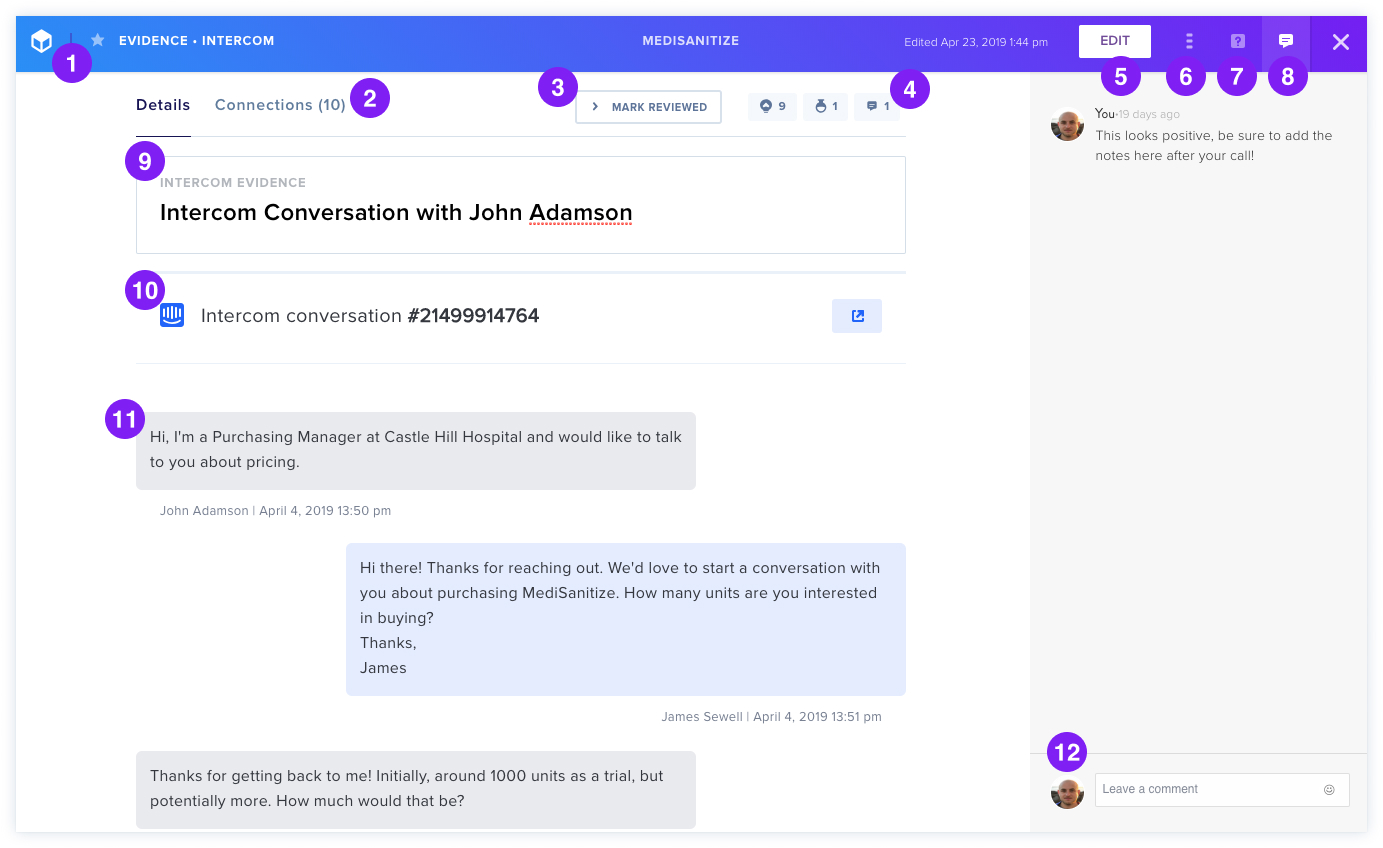
Interface Features
- Favorite conversations for later reference
- Details/Connections view toggle
- Mark Reviewed to inform teammates
- Ideas, Experiments and Comments Icons showing linked items
- Edit Button for Evidence details
- Three-dot Icon to delete Evidence
- Help sidebar access
- Comments sidebar
- Title editing (default: Intercom Conversation with [Customer Name])
- Intercom link to original conversation
- Intercom conversation message content display
- Comment box for feedback and @mentions
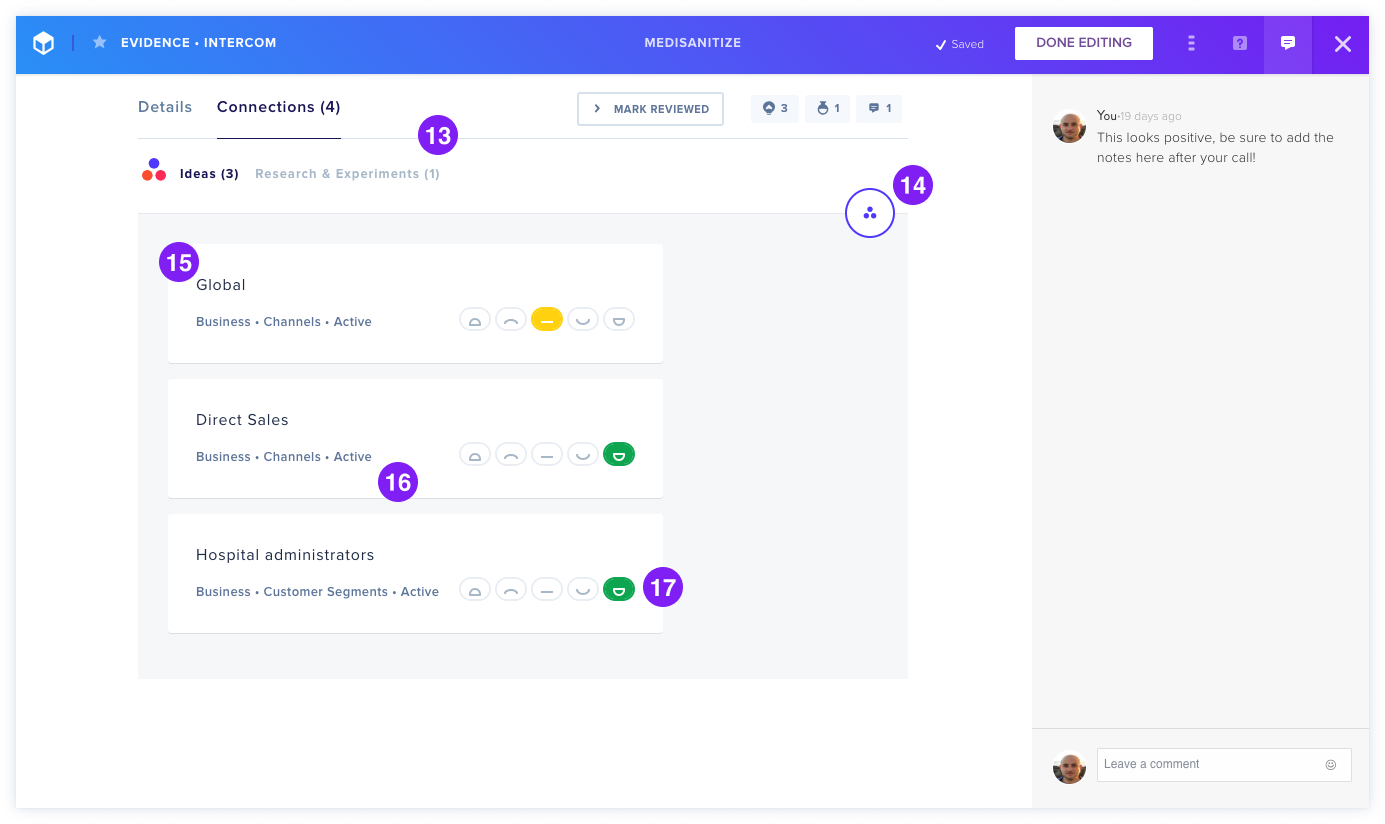
Connections Tab
- Switch between Ideas and Experiments
- Connect Button to link Ideas
- View connected Ideas with Product/Business Canvas location, Roadmap section, and Status
- Use Trending Score to rate whether conversations support connected Ideas