
New projects default to Active status. Enterprise users can set projects to Archive (for completed work) or Backlog (for future work). Garage and Business users can create additional organizations or upgrade to Enterprise to archive completed work.
Finding and Updating Project Status
Access the left sidebar menu to view projects organized under Active, Archive, and Backlog sections.
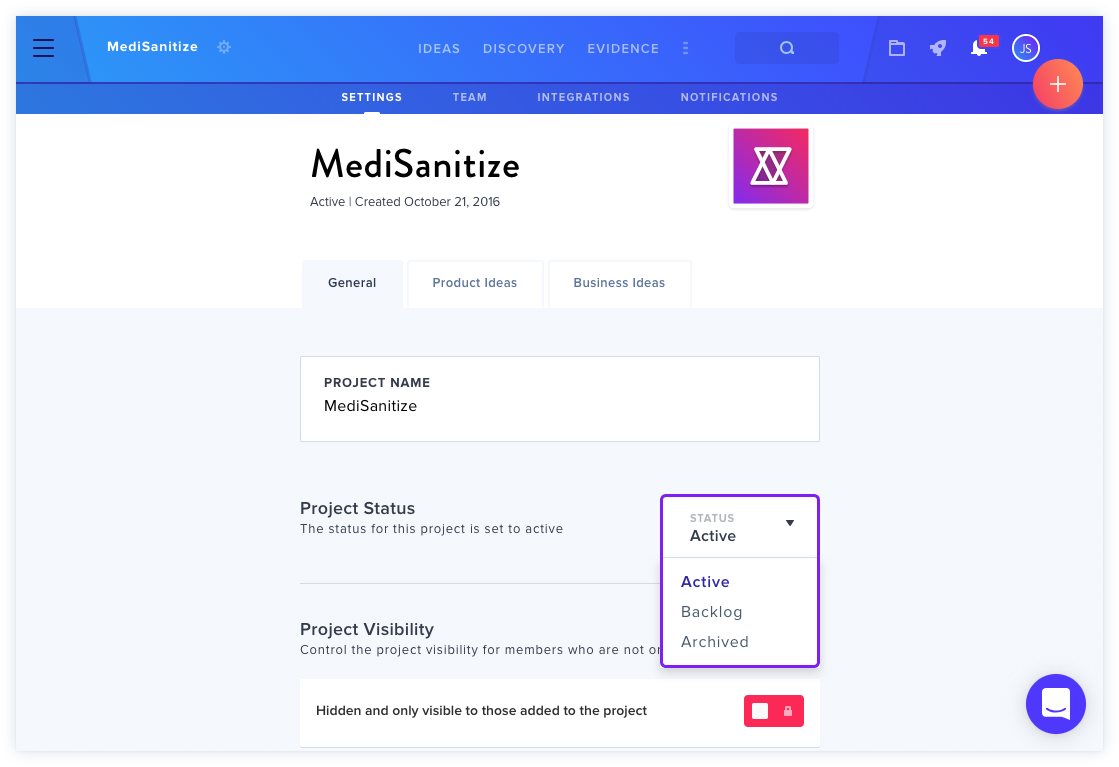
Steps to change status:
- Click the Settings icon next to a project name.
- Select the Settings tab.
- Use the dropdown menu next to Project Status.
- Choose Active, Backlog, or Archive.
- Changes apply automatically.
Archived Projects
Archived projects appear in the Archive section of the left menu and operate in "View Only" mode — they cannot be edited. However, project data can always be exported regardless of project status.