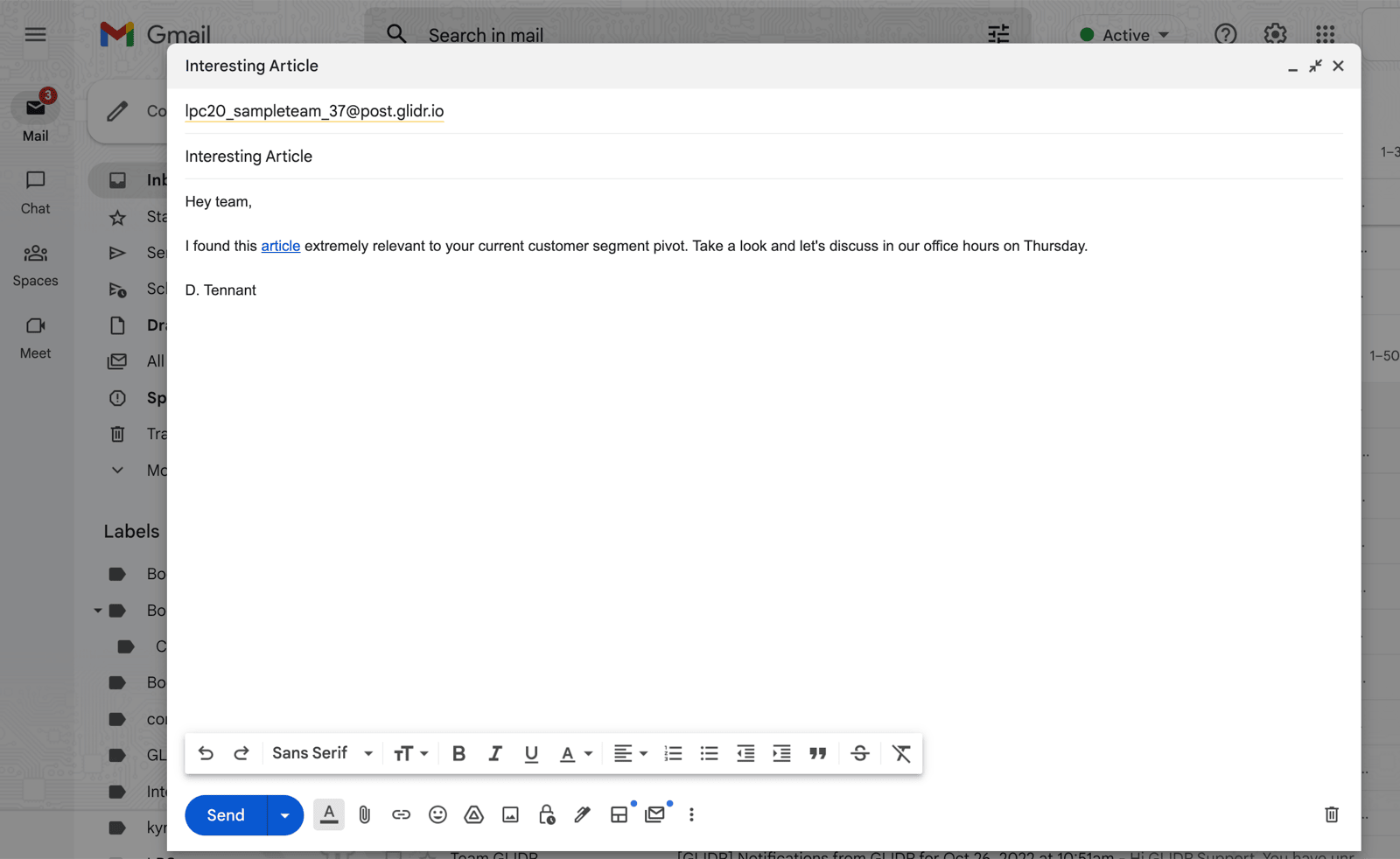
Cohort Instructors, Admins, Mentors, and Team Members can create posts directly from their GLIDR-associated email address. You can post information to a team's Activity Feed directly through email.
From the Leaderboard
Next to each Team's name on the Leaderboard is a Mail (envelope) icon.
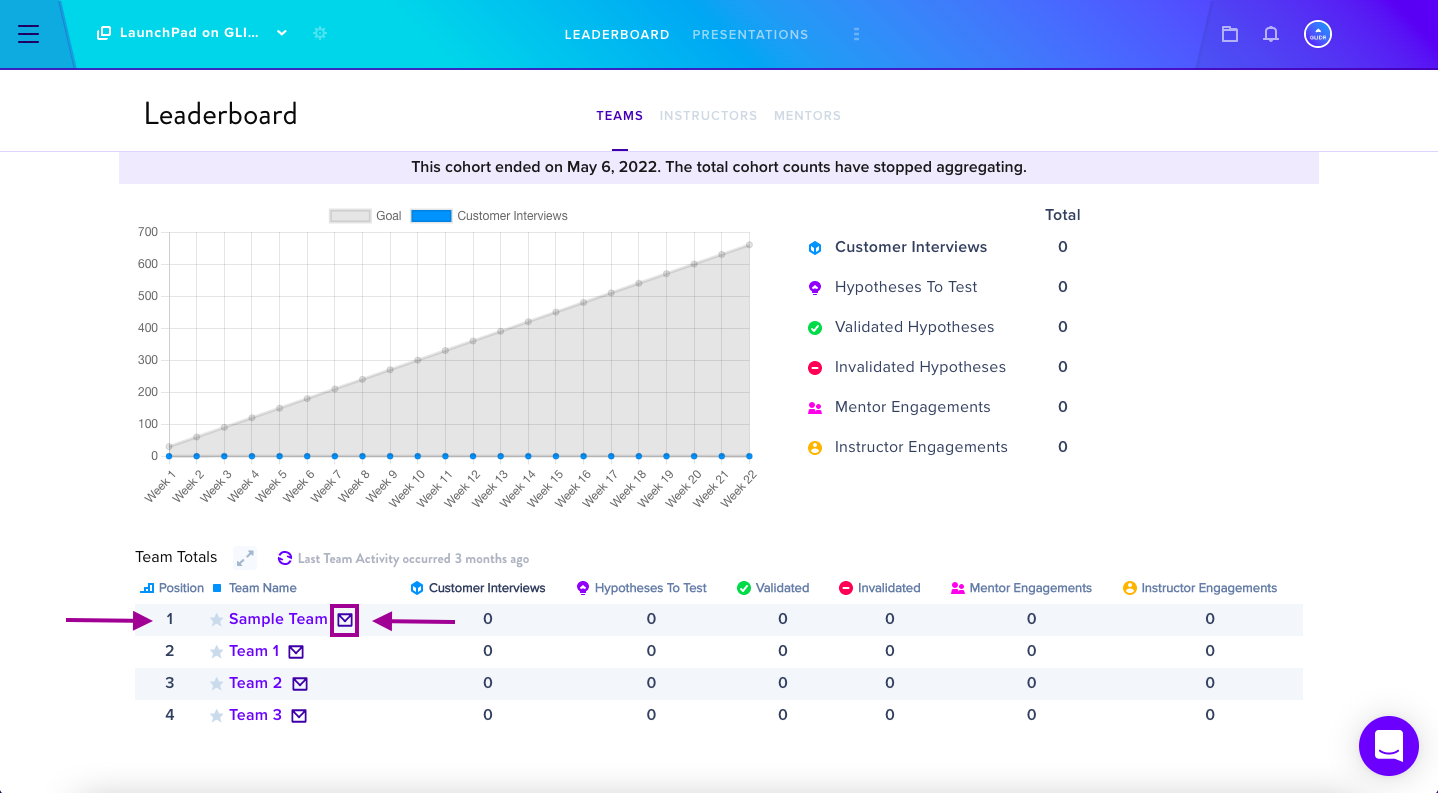
By selecting the Mail icon, a How It Works pop-up menu will walk you through the steps.
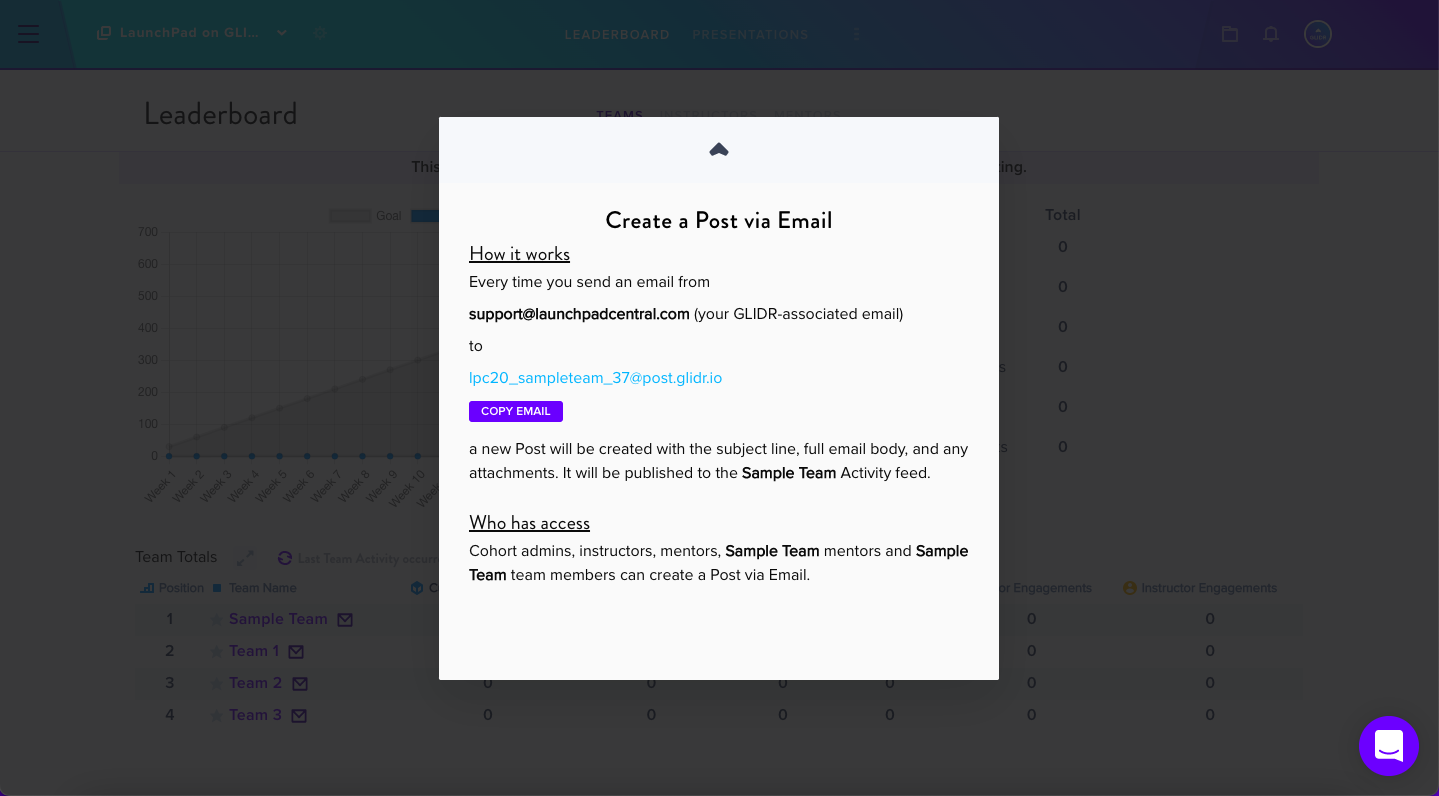
Every time you send an email from your GLIDR-associated email address to a team-specific Post email address (like the one shown in the pop-up menu), a new post will be created with all of the email's contents including the subject line, full email body, and any attachments. The team to which you send the email can view this new post on their Activity Feed.
Composing the Post Email
Either click the email address — which will automatically open your native email inbox with a populated recipient line — or select Copy Email to copy and paste the Post-related email address to the recipient line in your email.