
Creating Evidence has never been easier.
Setup Instructions
To activate the Email integration in your project, locate the wheel icon adjacent to your project name in the top-right corner and select Integrations.
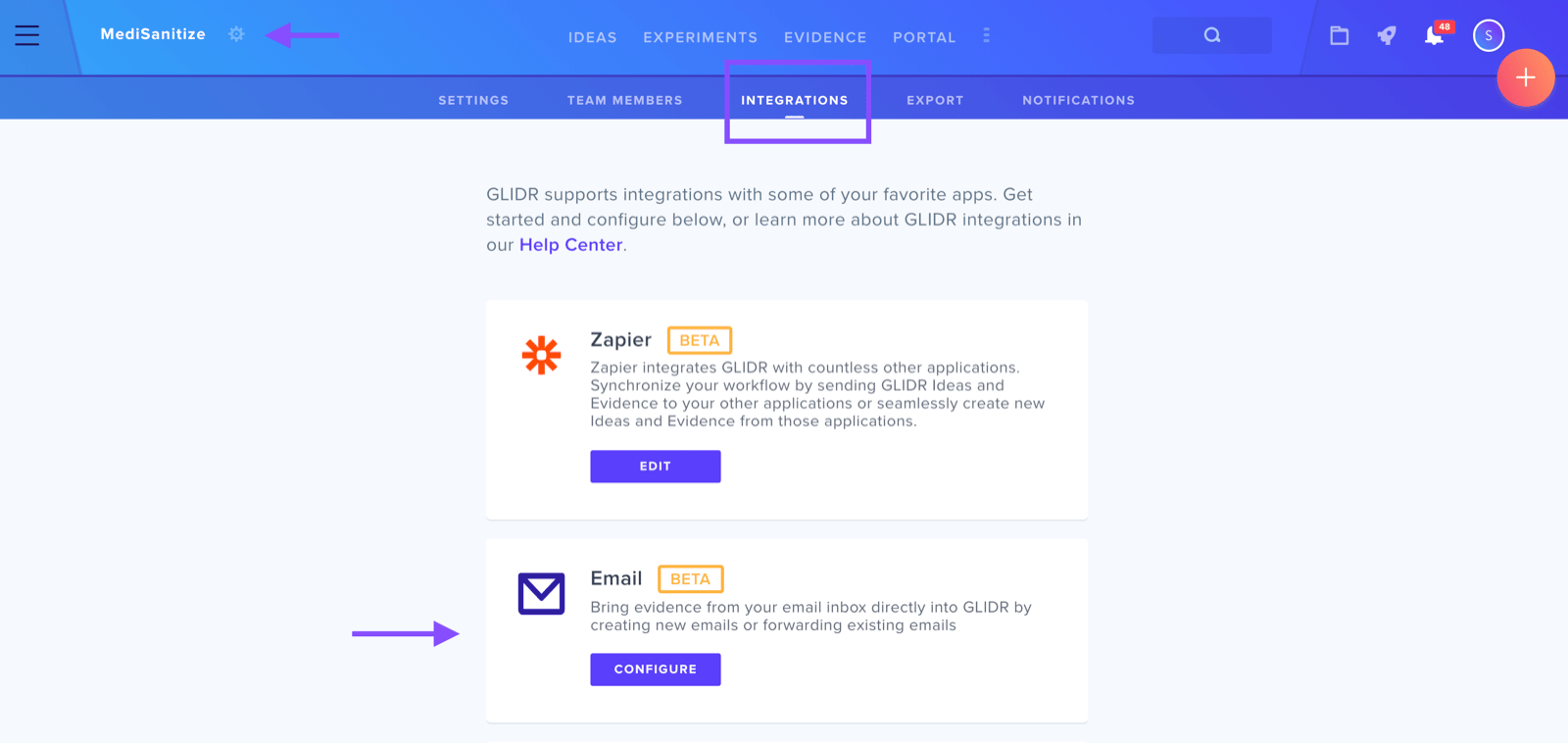
On the Integrations page, find the Email integration section and choose configure.
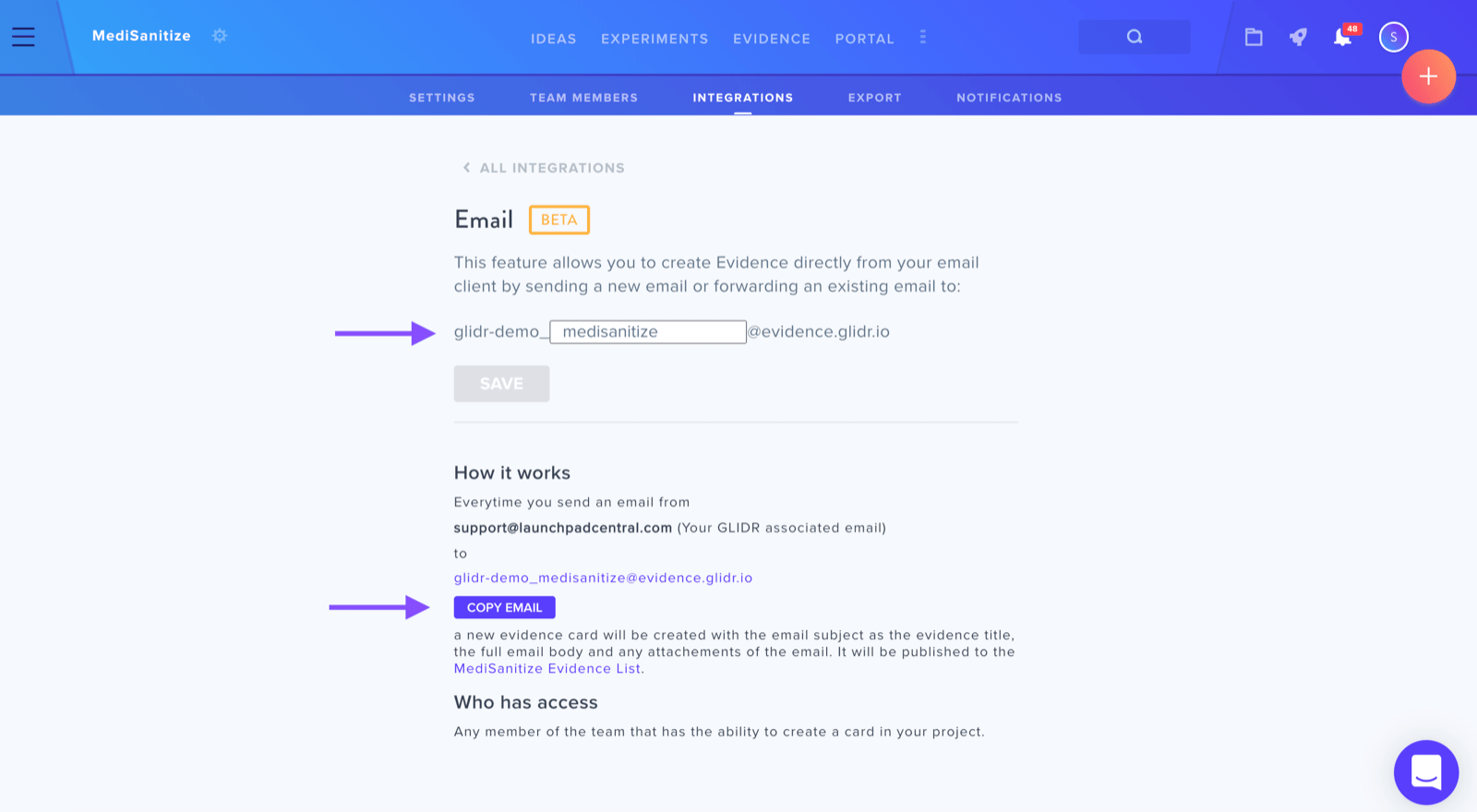
How It Works
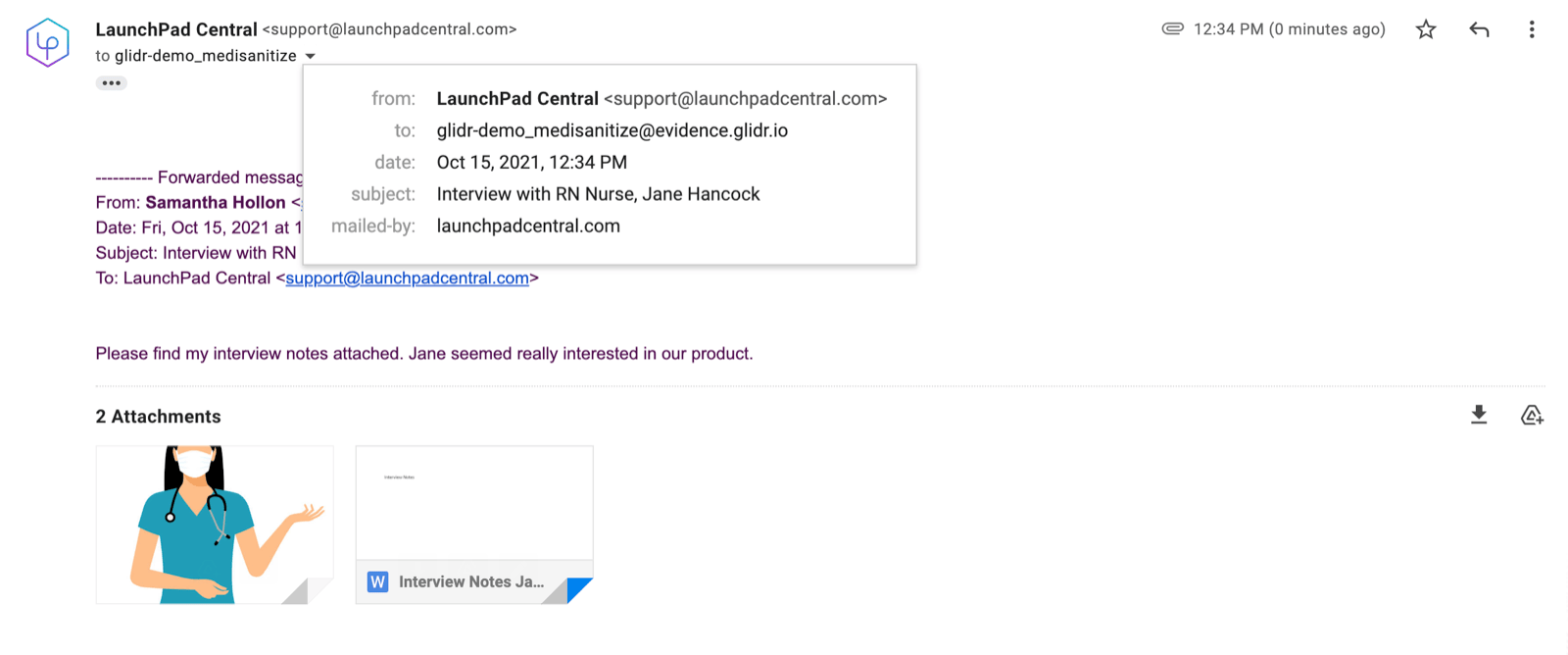
The Email integration page displays your unique evidence-creating email address and allows you to customize its name. When you send an email from your GLIDR-associated account to this dedicated address (for example, glidr-demo_medisanitize@evidence.glidr.io), the system automatically generates a new evidence card containing:
- Email subject line as the evidence title
- Complete email body content
- Any attached files
Additional Resources
See Email Integration Best Practices for guidance on how this feature supports your discovery workflow.