
Overview
The GLIDR and Jira integration enables teams to work more effectively by syncing data between platforms. The integration maintains visibility across product and engineering workflows.
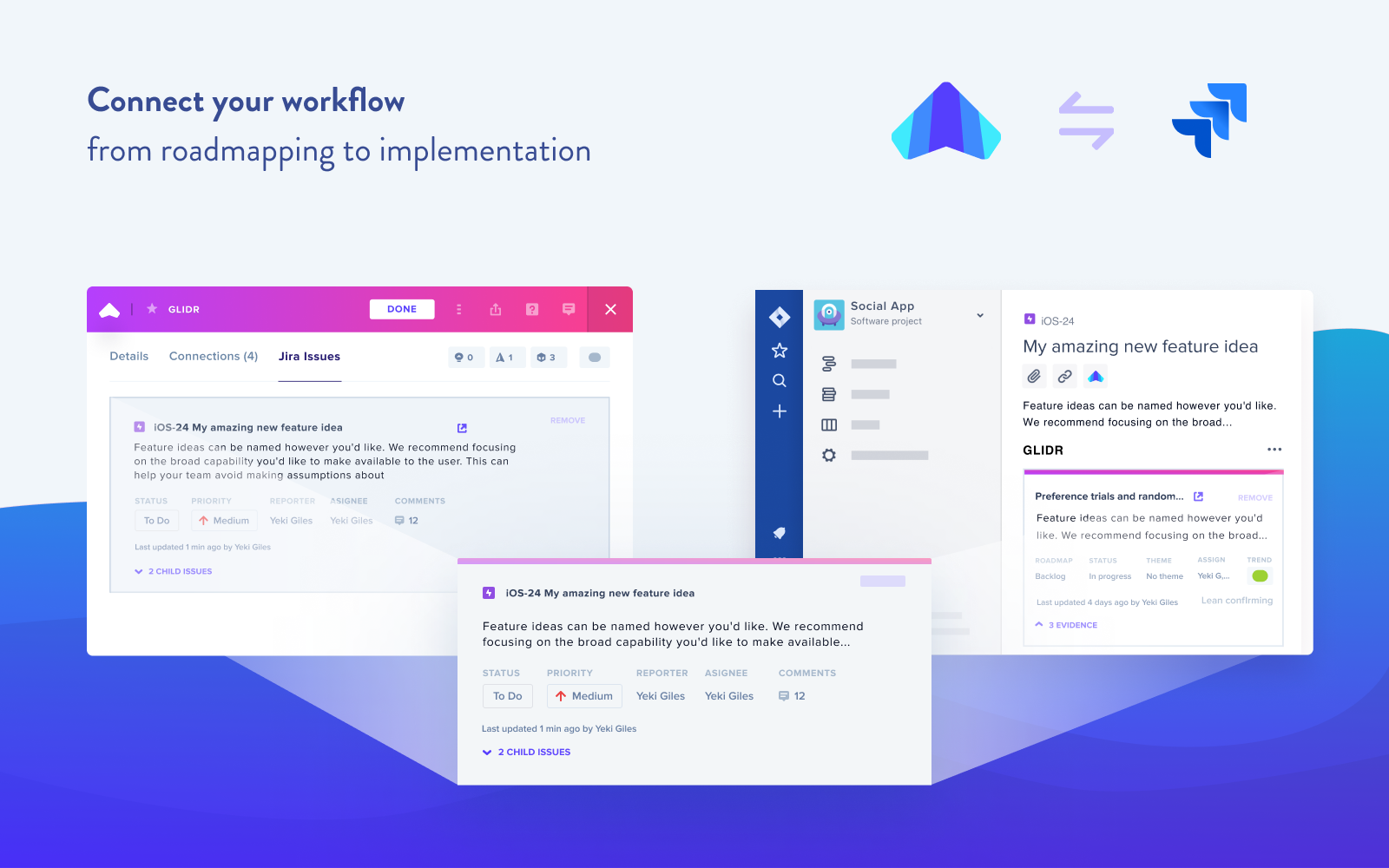
Connect your Workflow
The two-way integration breaks down silos by automatically transferring relevant data fields between Jira and GLIDR, allowing information to evolve across both applications.
View GLIDR Evidence in Jira
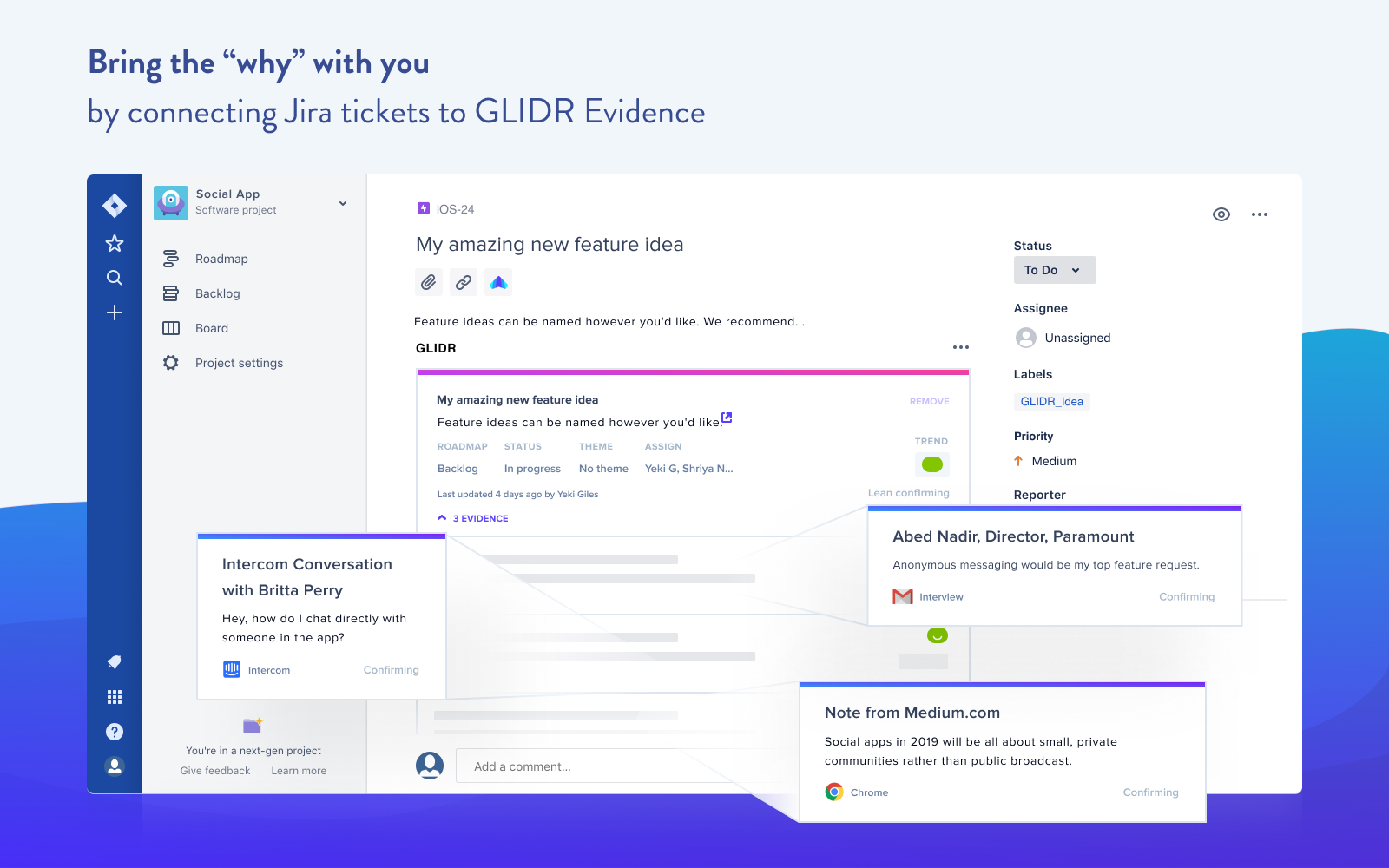
Teams can access connected GLIDR Evidence directly within Jira tasks. This preserves product context as ideas transform into features and provides engineers with direct customer feedback insights.
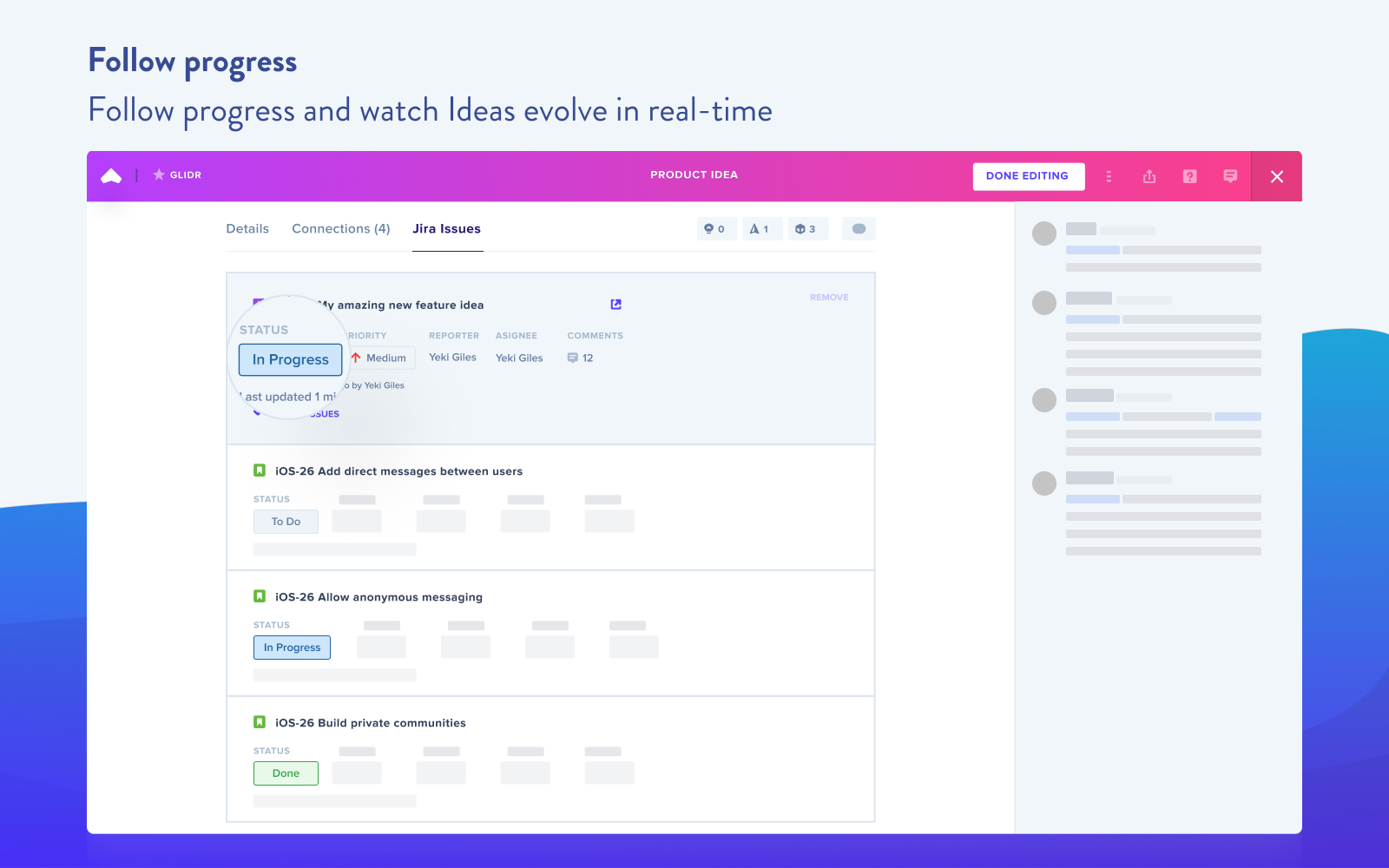
Monitor your Jira statuses in GLIDR

The integration visualizes an idea's journey from planning in GLIDR through feature development in Jira, allowing teams to track changes while maintaining visibility into customer feedback.
Increase visibility between teams
The integration accommodates different work preferences, allowing some teams to operate within GLIDR while others use Jira, without sacrificing overall product knowledge sharing.
Next Steps
For setup instructions, see the step-by-step guide to setting up the Jira Integration.