
Different teams work in different ways. That's why GLIDR has been designed as a customizable platform for your specific needs.
Enabling the Product Canvas
The Product Canvas is disabled by default. To activate it, access Project Settings, navigate to Features, and toggle the option on.
Core Customization Options
The platform allows categorization of Ideas through three primary dimensions:
- Roadmap — Organize ideas by priority levels (such as Now, Next, Future, Backlog)
- Status — Track idea progression through custom phases (such as Discovery)
- Themes — Define broader concept categories like Integrations or Usability
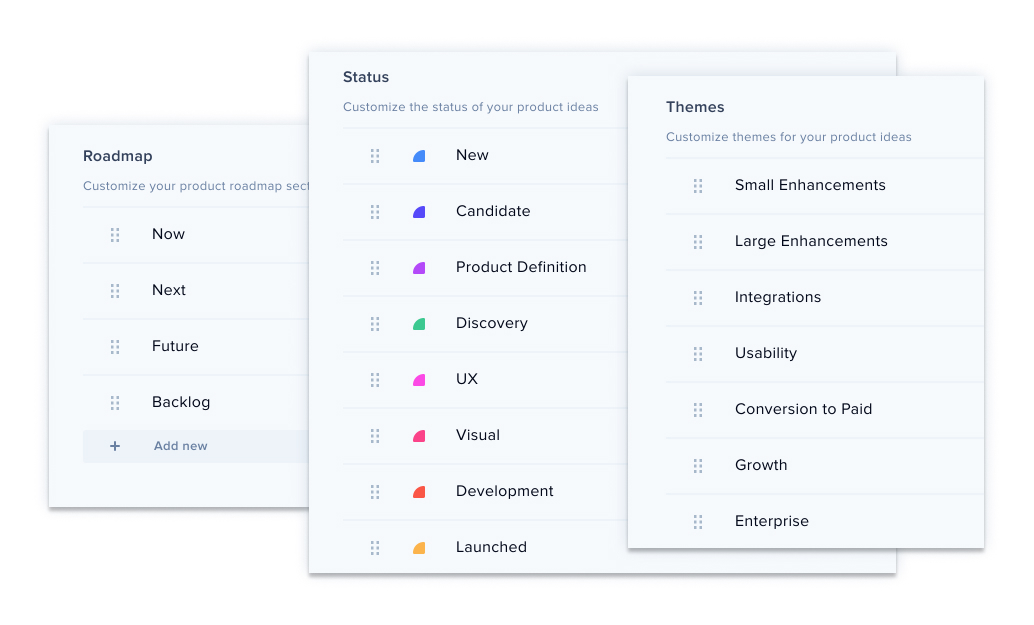
Pre-populated suggestions are provided, but all categories remain fully customizable.
Modification Methods
Direct Canvas Editing
Click section names to rename them, or select the three-dot menu to delete. Use the Add Section button to create new categories.
Settings-Based Customization
Navigate to Project Settings > Settings > Product Ideas tab to add, edit, or delete sections and enable Prioritization Scoring.
Prioritization Scoring
This feature leverages evidence gathered during Discovery to determine which ideas advance through development stages. These can be enabled or disabled from Project Settings and are available in all tiers.
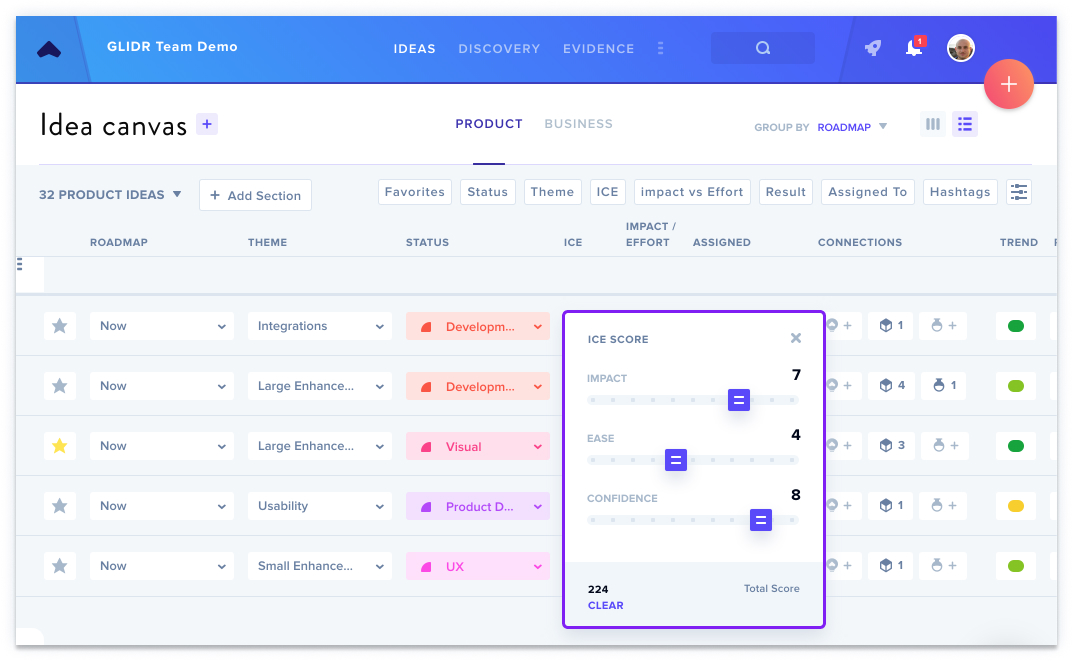
For additional details, see Introduction to Prioritization Scores.