
The Mission Model Canvas is an alternative to the Business Model Canvas for organizations whose goal is social impact, mission achievement, or public service rather than financial profit. It uses the same nine-block structure as the BMC but reframes two of the blocks so the canvas fits non-profits, government agencies, and social enterprises.
Available on all tiers.
What's different from the BMC
Two blocks are renamed and reframed:
- Customers → Beneficiaries — who you serve, not who pays you
- Revenue → Mission Achievement — how you measure mission success, not how you make money
The other seven blocks (Key Partners, Key Activities, Key Resources, Value Propositions, Channels, Customer Relationships, Cost Structure) are unchanged in name and purpose — the questions just get answered in a mission-driven context.
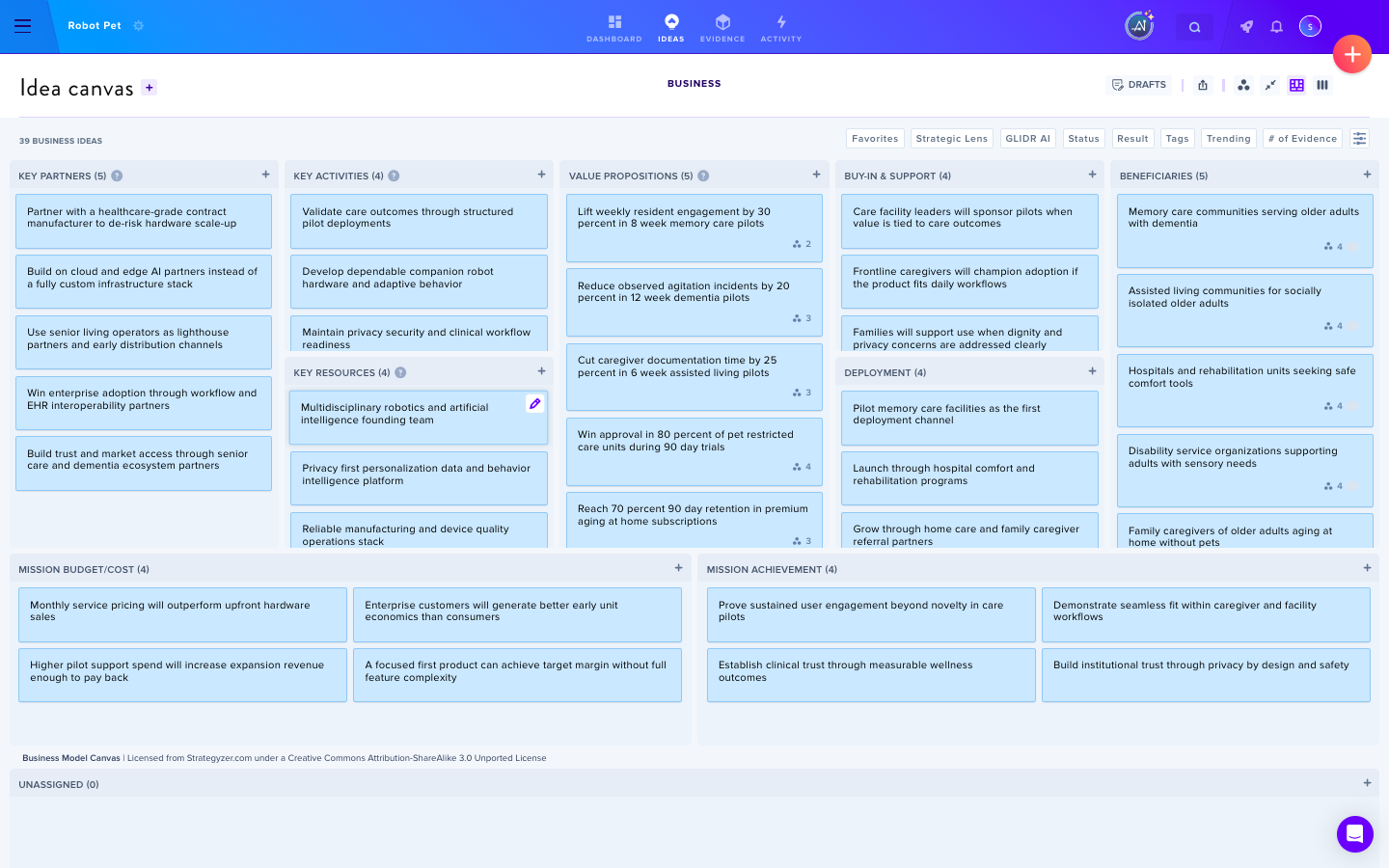
Pick the Mission Model Canvas for a new project
When you create a new project (or, on Academic, a new cohort), open Advanced Settings and find the Default Canvas Template section. Select Mission Model Canvas instead of the default Business Model Canvas.
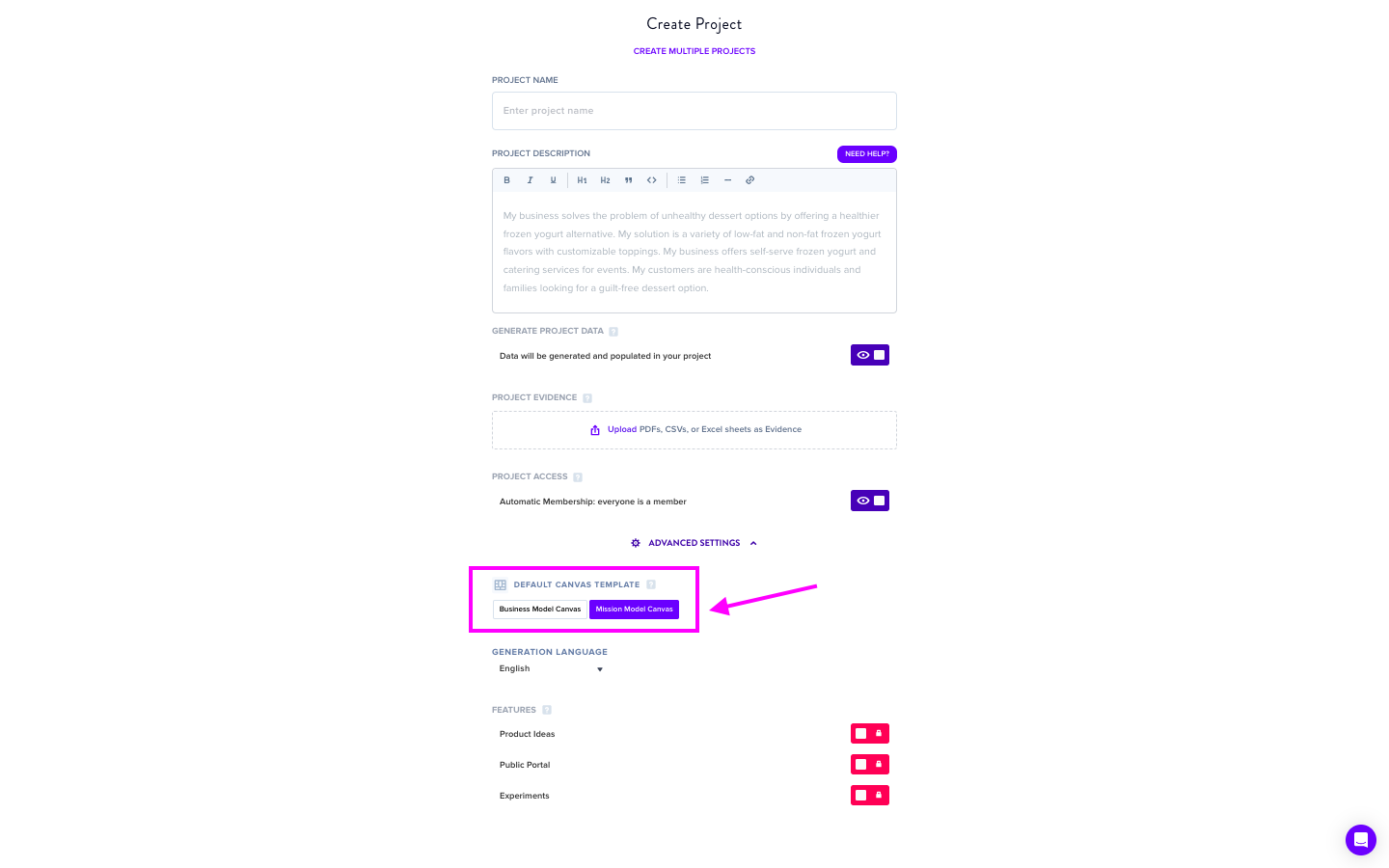
The template choice applies to every Idea (Hypothesis on LaunchPad) added to the project — they'll land in the correct Mission Model block instead of the BMC equivalent.
When to use the Mission Model Canvas
Pick it when "How do we make money?" isn't the right framing for your work:
- A non-profit measuring impact on beneficiaries rather than revenue
- A government agency delivering public services
- A social enterprise where mission outcomes drive strategy
- An internal innovation team inside a larger org where revenue isn't owned at the project level
If your project is primarily commercial, stick with the standard Business Model Canvas — the BMC framing is a better fit for revenue-driven work.