
Overview
ICE stands for Impact, Confidence, and Ease. Each factor is graded on a 10-scale and the average of the three numbers is the calculated ICE score. It functions as a streamlined alternative to RICE scoring, omitting the Reach component while substituting Ease for Effort.
When to Use ICE: Apply this model when there's no need to distinguish separately between reach and impact.
How It Works in GLIDR
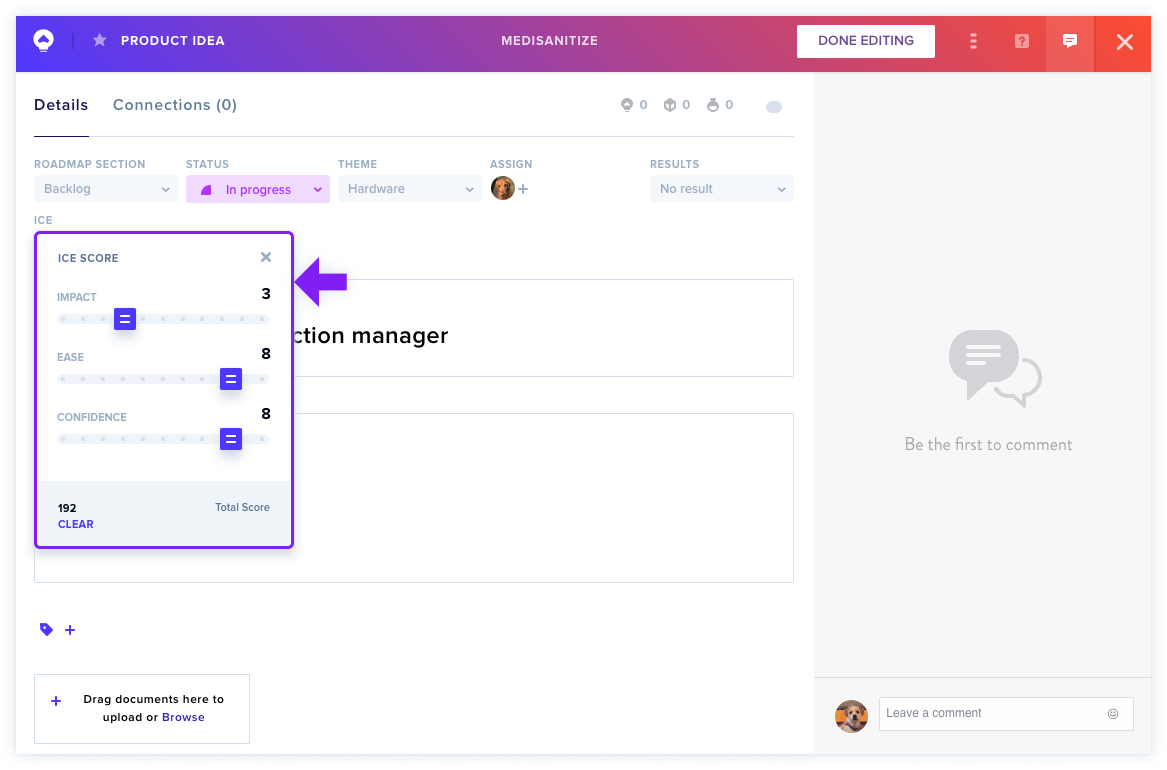
Assign scores to Ideas either directly within an Idea card or inline in List View. The platform automatically calculates the ICE score as you adjust the sliders for each field. Any changes to individual fields instantly update the overall score.
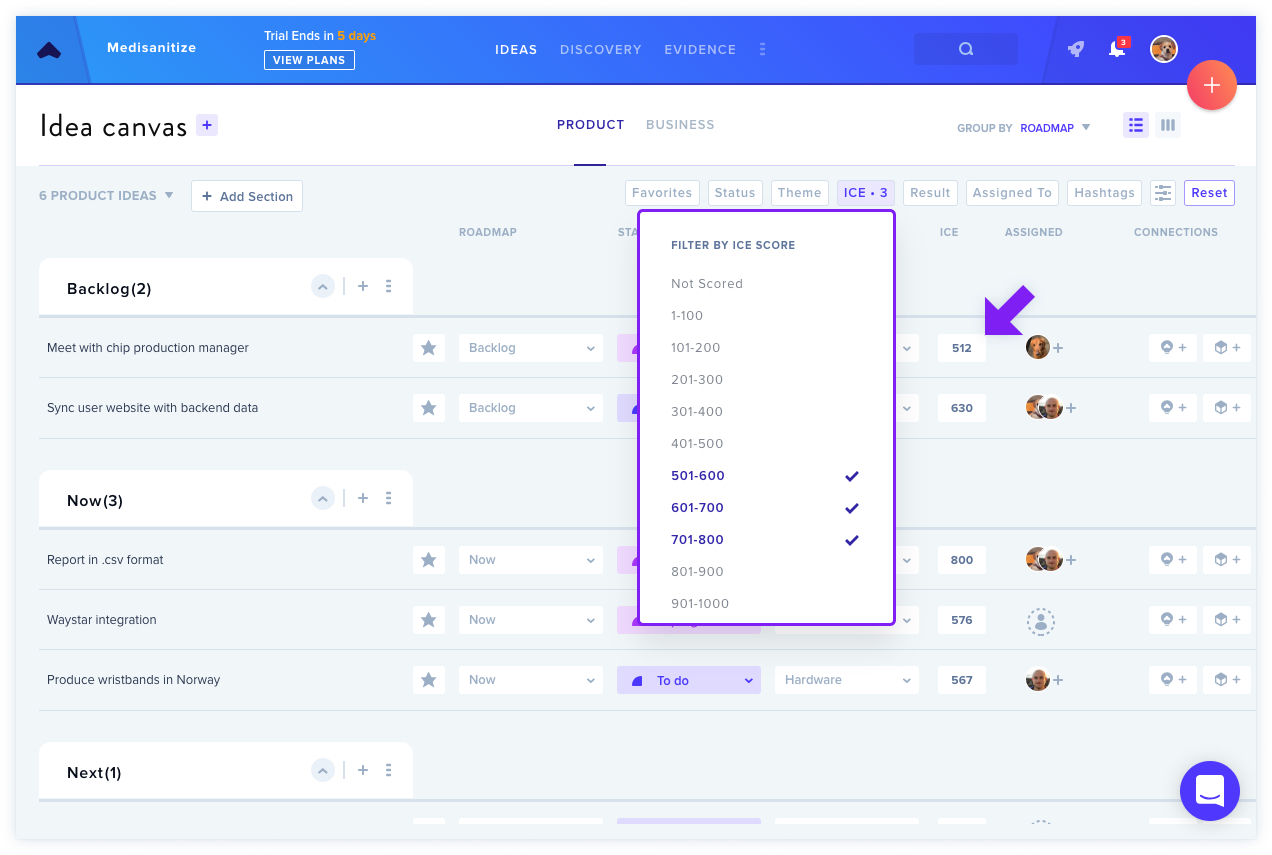
Filtering by Product Score is available in List View. Select the ICE filter and specify your desired score range — for example, moving lower-scoring Ideas to the Backlog while prioritizing higher-scoring ones on the Roadmap.
Setting Up Prioritization Scoring
Prioritization scoring is off by default in every tier. On Garage, Business, and Enterprise alike, go to Project Settings > Product Ideas and toggle ICE scoring on or off at the page bottom. Only Admins and Owners can enable this feature.
ICE scoring operates as a straightforward sliding scale without requiring additional configuration. Once enabled, it appears in Idea cards and List View.