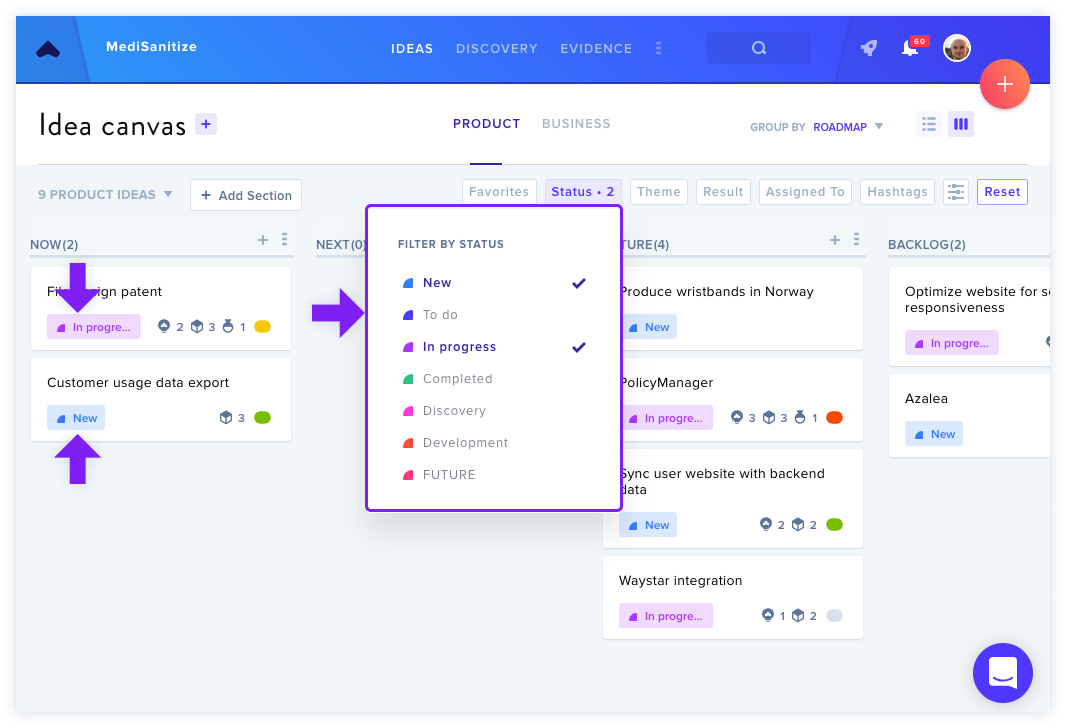
GLIDR's Product Canvas enables teams to capture feature ideas, user stories, and product concepts with a flexible Kanban view. Toggle between List View and Kanban View using an icon in the upper-right corner to visualize product idea cards organized in columns.
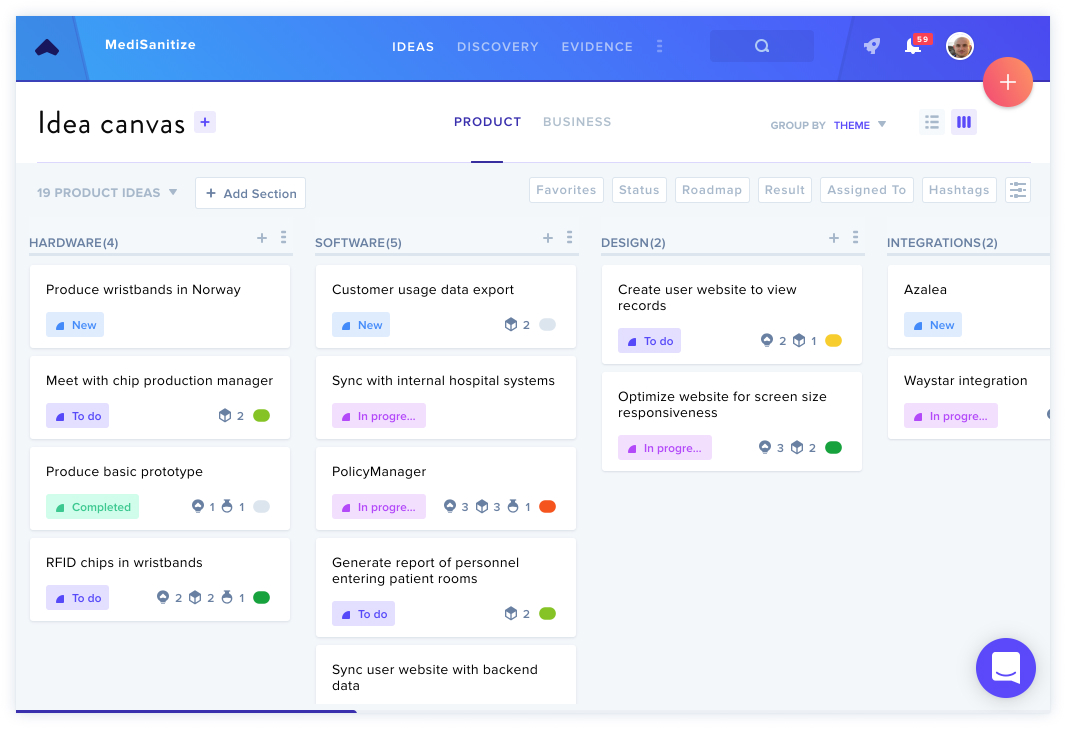
The platform distinguishes between ideas directly related to your market versus those related to your product, with both types testable through Experiments and backed by Evidence.
Customizable Views
Roadmap View
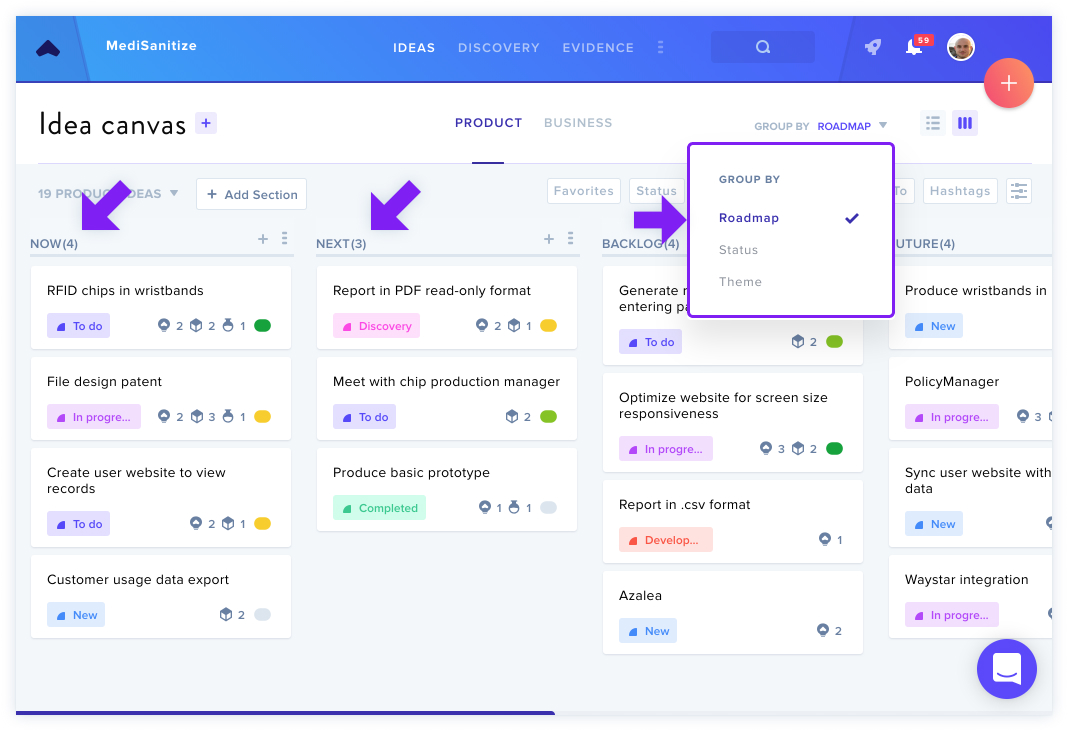
This view displays columns organized by time and priority within a high-level feature map. Customize column names such as "Now, Next, and Future" or "Backlog, Current, and Done" by clicking column titles.
Status View
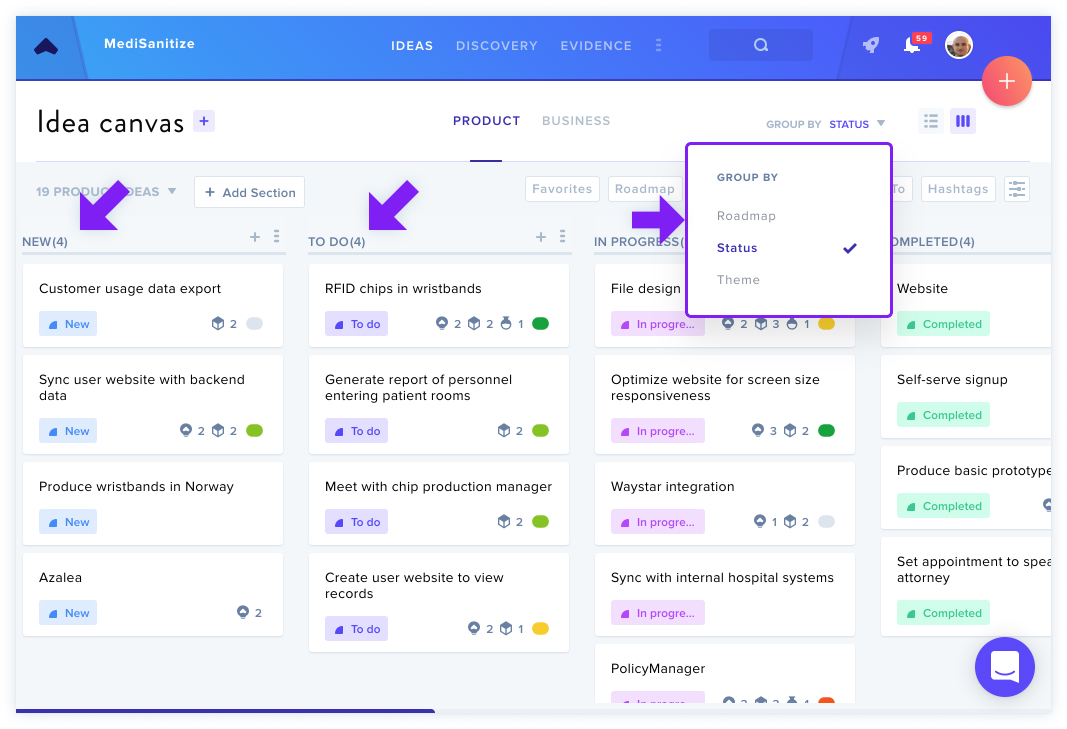
This arrangement groups ideas by their testing status within a timeline, allowing visibility into which ideas are being tested and which testing is complete. Status categories provide more granularity than roadmap categorization.
Theme View
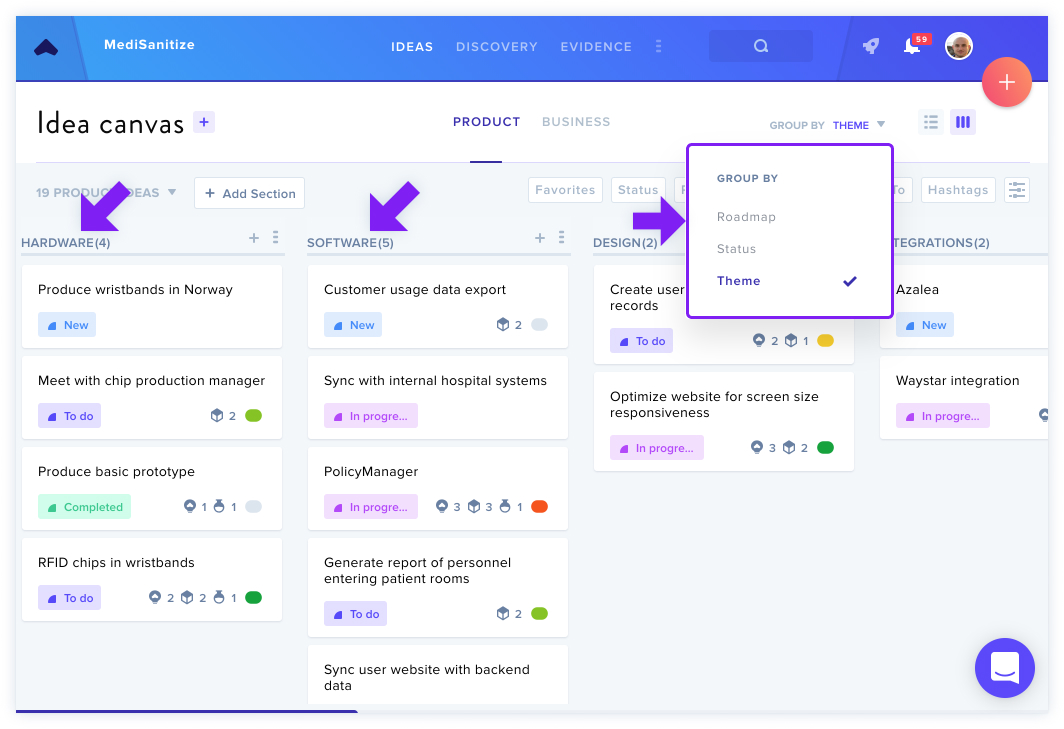
Ideas are grouped by theme, with customizable categories like "desktop" or "mobile" based on product-specific needs. The default is "no theme."
Column Customization
Add new columns by scrolling right and typing in the Add new field. Columns are draggable for custom ordering. The delete function (accessed via the ... menu) removes unnecessary sections.
Canvas Settings — accessible through the ... icon or Profile Icon > Team Settings — enables column management, reordering, and renaming.
Filtering
Powerful filters allow you to display specific ideas by selecting multiple filter criteria simultaneously.
Related: List View of the Product Canvas