
This guide explains how to gather evidence through customer discovery interviews (opens in new tab) to validate or invalidate hypotheses/ideas.
Academic Users (LPG)
To add customer interviews, navigate to the red plus button at the top right of your canvas and select Interview from the dropdown menu.
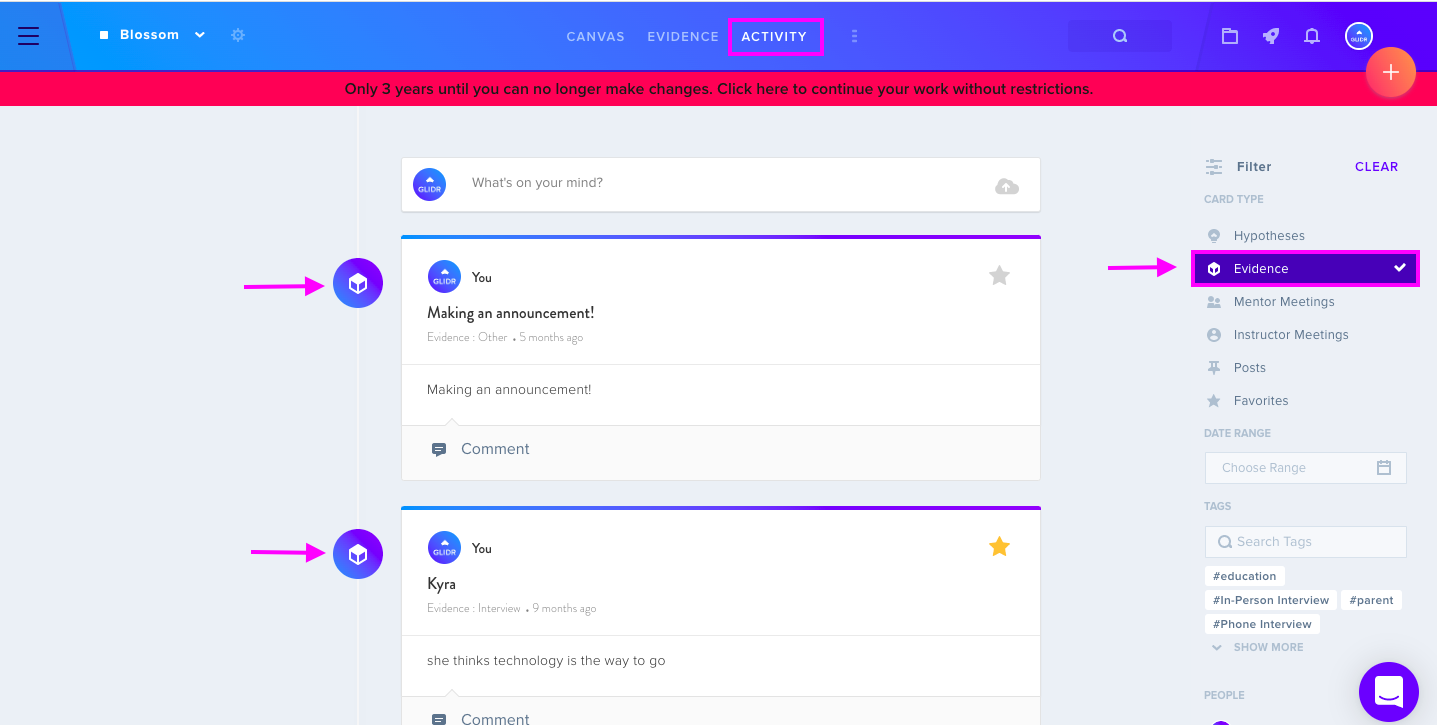
The Activity tab displays interviews added by team members. Use the Evidence card type filter to view only customer interviews, then click Clear to return to all activity.
In the Summary section, enter interview transcripts and relevant information. Once added, connect interviews to hypotheses using the Connections tab. Rate evidence using a Trending Score ranging from Disconfirming to Confirming to track how ideas perform and determine whether to validate, invalidate, or pivot.
Innovation Tool Users (GLIDR)
Click the red plus button, select Evidence, then choose Interview from the Evidence Type prompt.
Similar to the academic version, the Activity feed displays interviews from team members, with filtering options available.
Enter interview details in the Summary section and connect interviews to ideas via the Connections tab. Apply a Trending Score to rate evidence quality, enabling performance assessment and strategic decision-making about idea validation or pivoting.