Both Cohort Admins and Team Admins have the ability to adjust team visibility settings within GLIDR.
For Cohort Admins
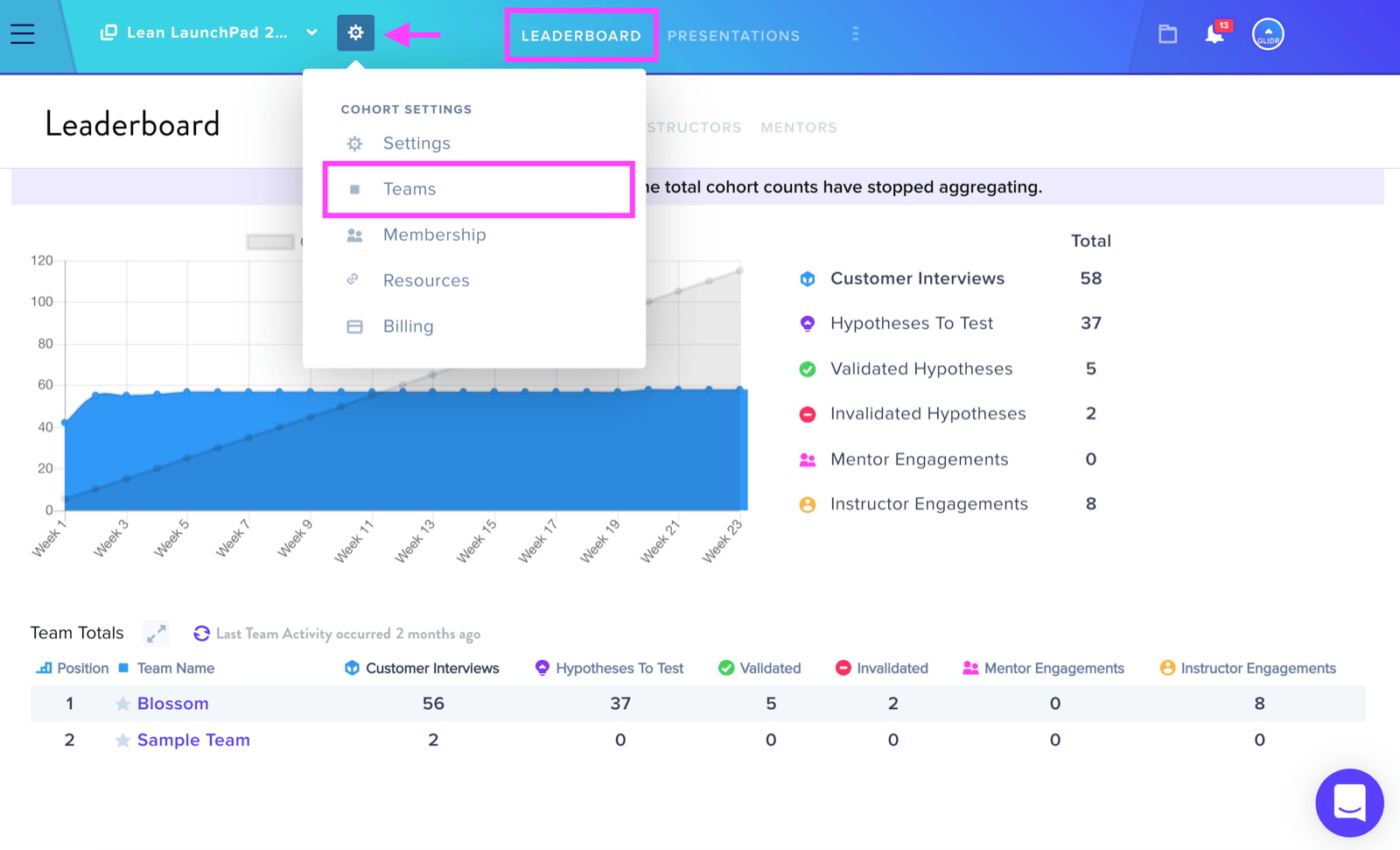
Navigate to the Leaderboard and select the wheel icon next to the team name, then choose Teams. Within the Teams tab of Cohort Settings, click the blue square beside the team name to toggle privacy. Once activated, the square turns red with a lock icon, restricting visibility of the team's canvas and interview data to team members and instructional staff only.
For Team Admins
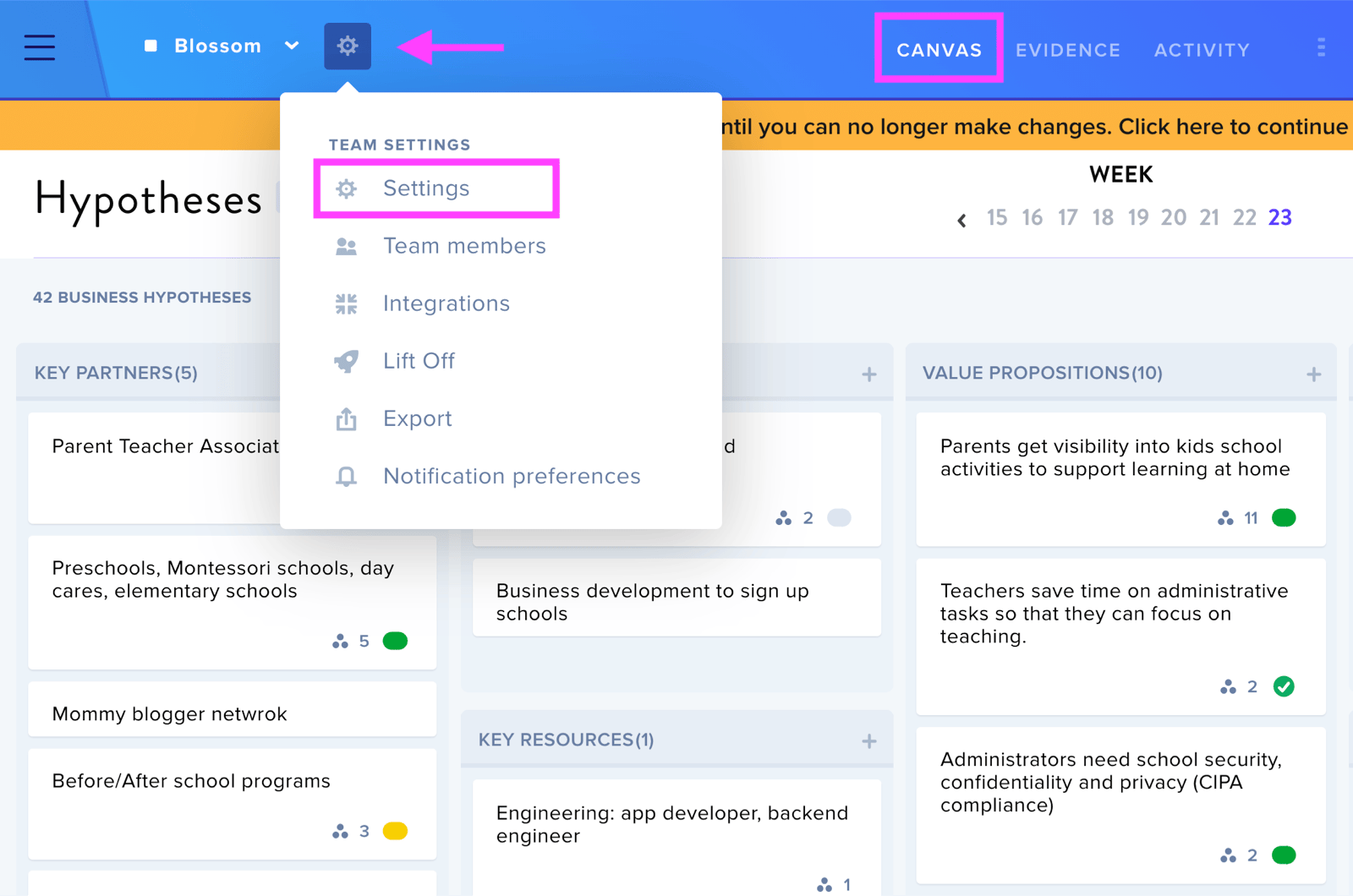
From your team canvas, click the wheel icon next to your team name and select Settings. Locate the Team Visibility section. The default setting displays your team to all cohort members. Selecting Private restricts access to your canvas and interview data, though your team profile will remain visible to other teams.