
Team Admins
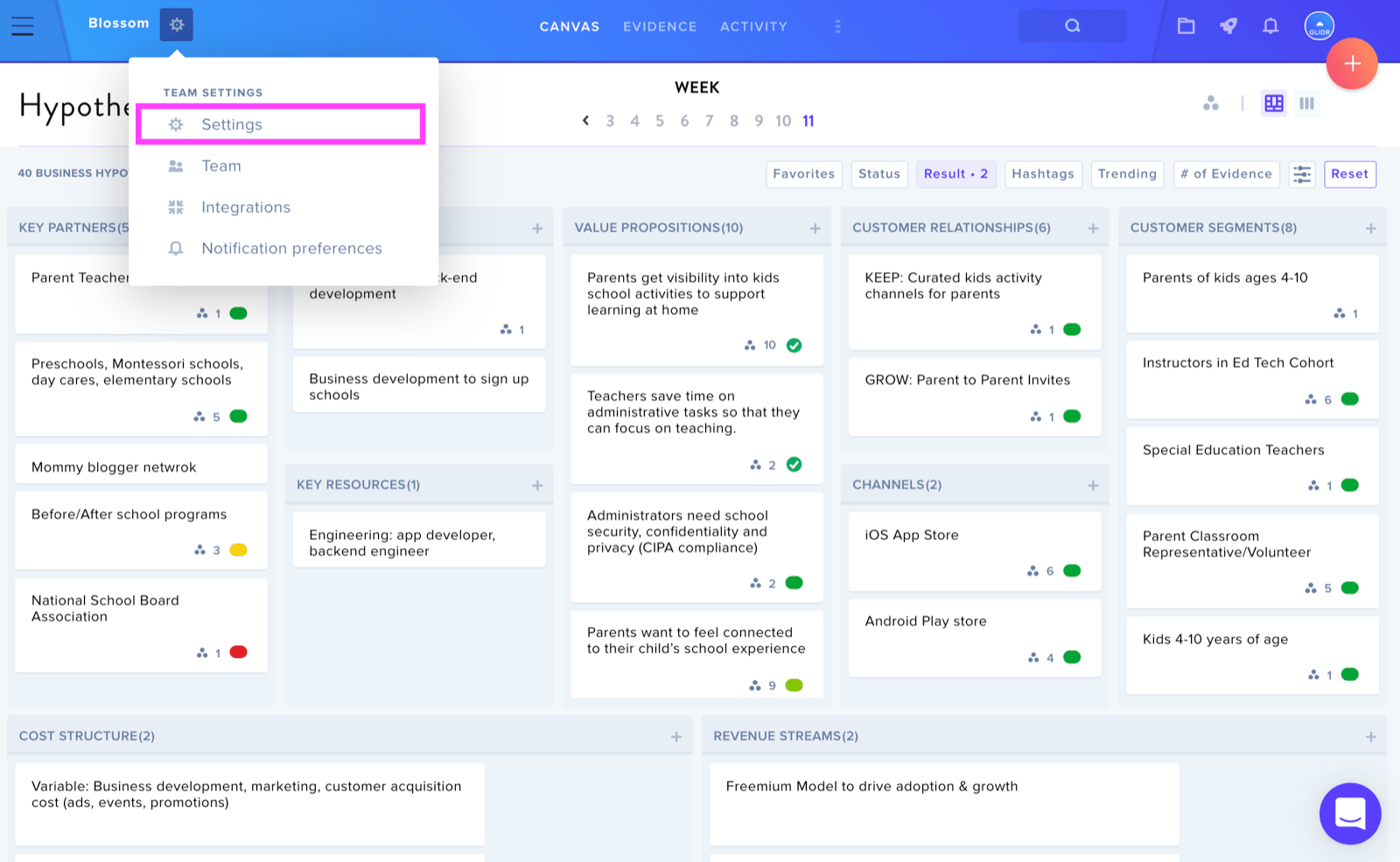
To modify your team name, locate the Team Settings icon positioned to the right of your team name on the canvas, then select Settings.
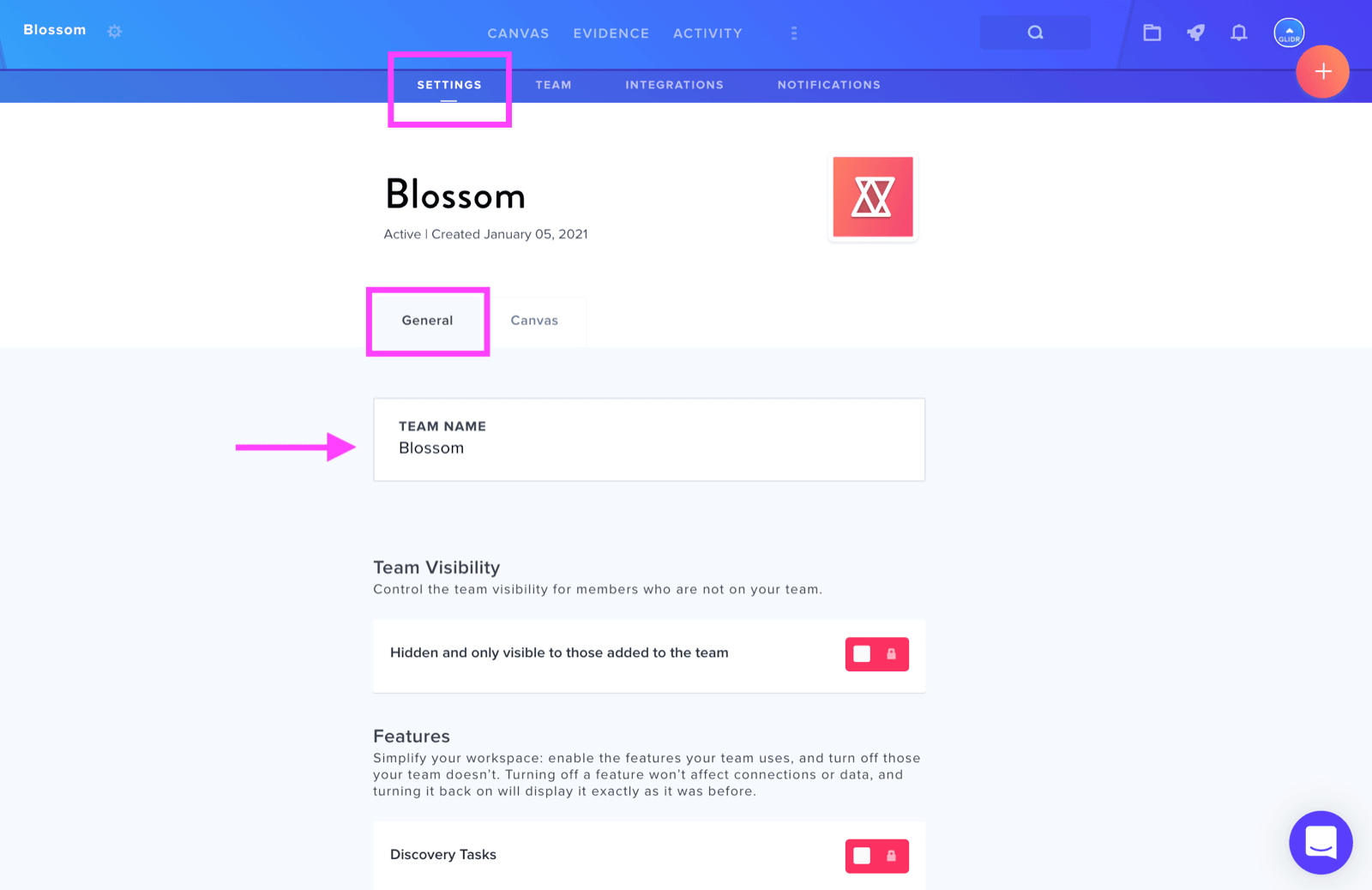
Within the Settings page, navigate to the General tab and click the Team Name card to begin editing your team's name.
Cohort Admins
Starting from the Leaderboard view, find the wheel icon adjacent to the cohort name and choose Teams from the menu.
Click on the team name you wish to modify, and it will transform into an editable text field. Make your desired changes and click outside the field to save your updates.