LaunchPad on GLIDR puts customer discovery and hypothesis validation at the center of your academic program. It gives students tools to test ideas through Customer Research & Experiments, and connect Evidence, while providing instructors real-time progress visibility.
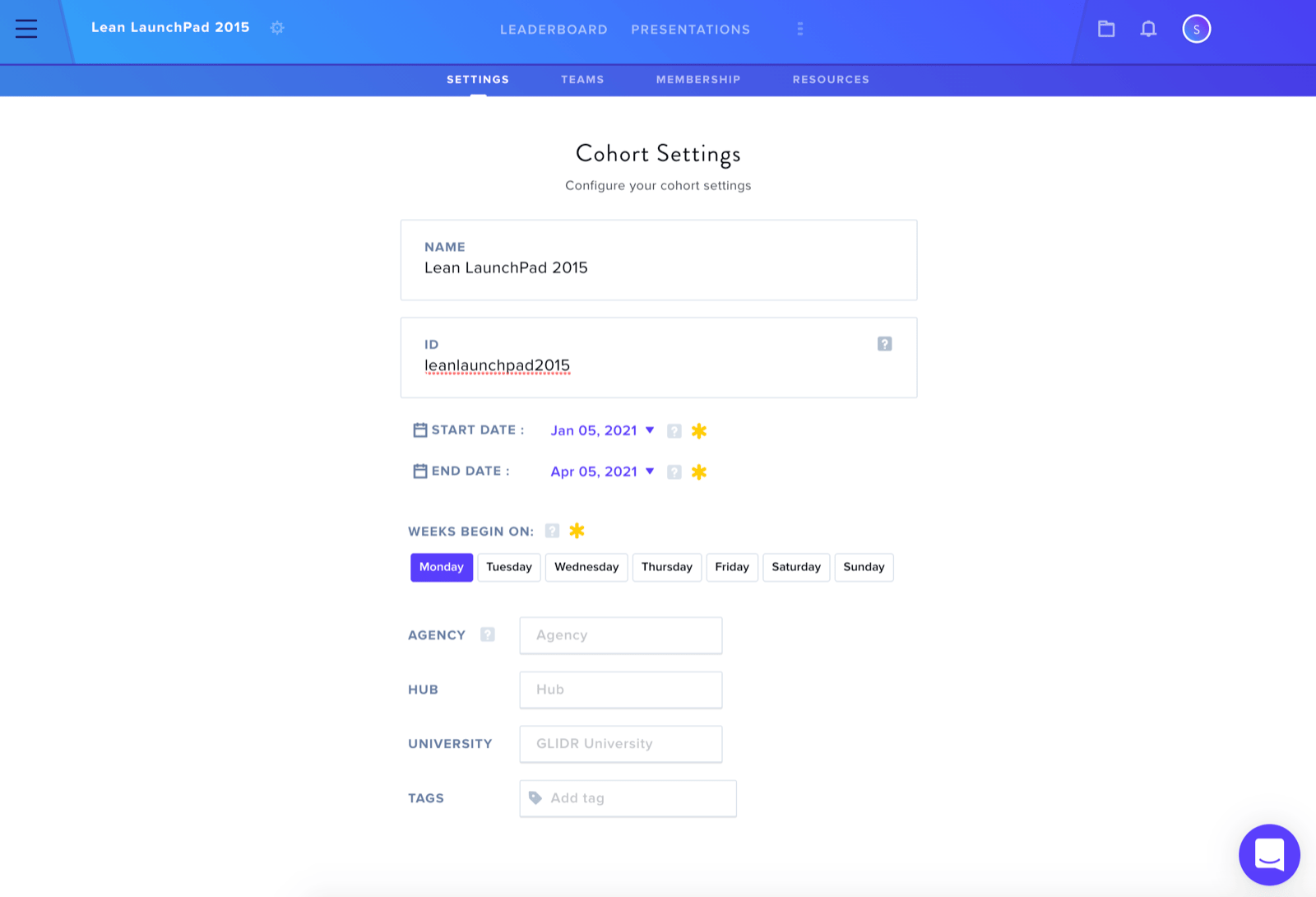
Set your Start Date / Weekly Canvas Reset Day
Select your Cohort from the Side Bar and click the icon to the right of the Cohort's Name to access Cohort Settings. Here you can modify the Cohort Name, adjust Start/End Dates, and select which weekday resets your Cohort Week.
Add Resources
Add syllabi, videos, or other documents to the Resources tab to guide cohort participants.
How do teams export their Canvas for their weekly presentation?
The easiest and quickest solution: take a screenshot.
How do I re-invite a participant?
Locate the Wheel Icon to the right of the Cohort Title. Click it and select Membership. At the bottom, find Pending Invitations and click Re-Invite next to the desired email.
How do I help someone reset their password?
Participants can visit the sign-in page and select Forgot Password to reset their credentials.
How do I remove a participant no longer in the class?
Click the Three Bars Icon at the top left, select your Organization Name, then Team Management. Search for the participant and change their Permission Level to Disabled.
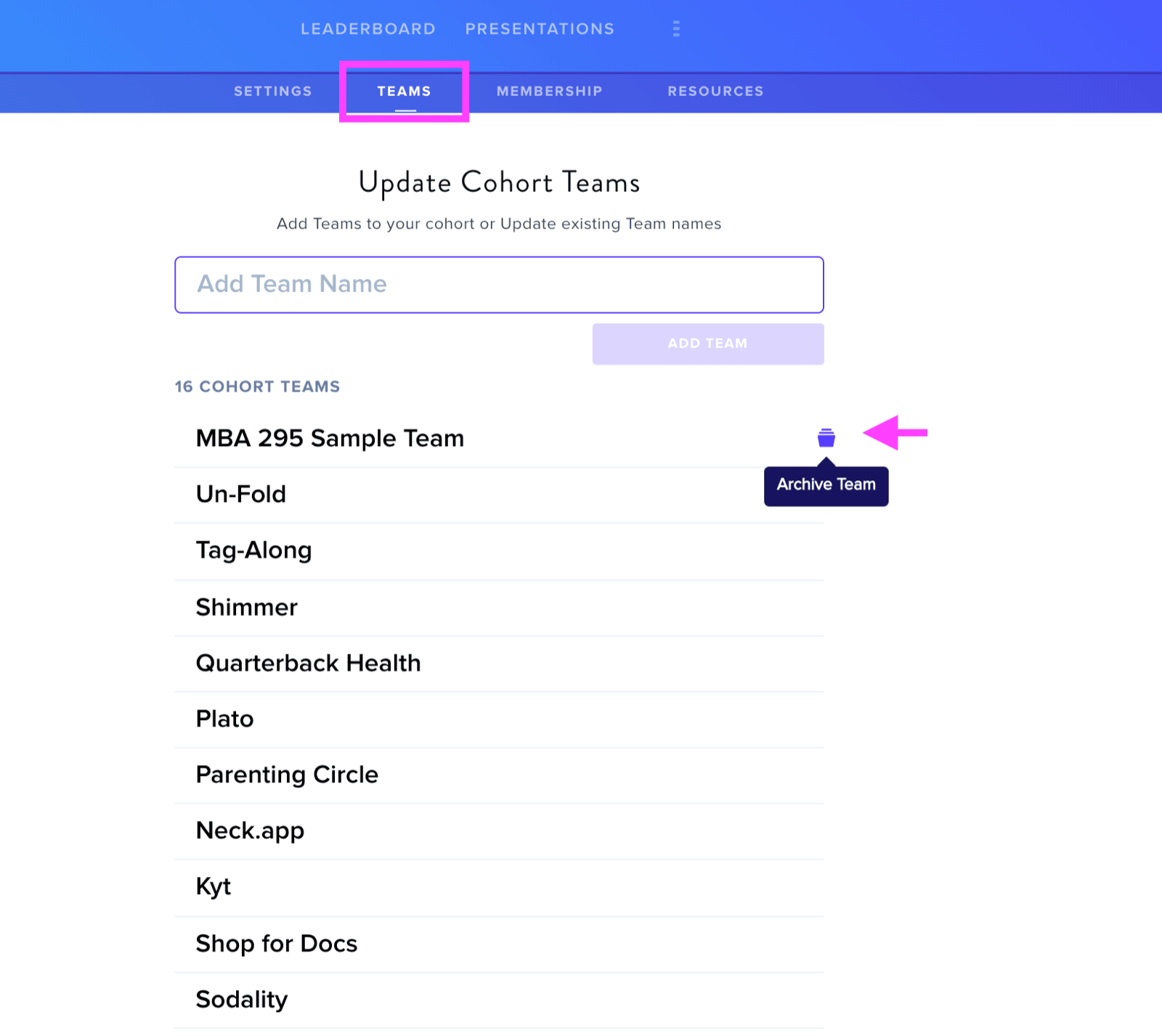
How do I remove a team?
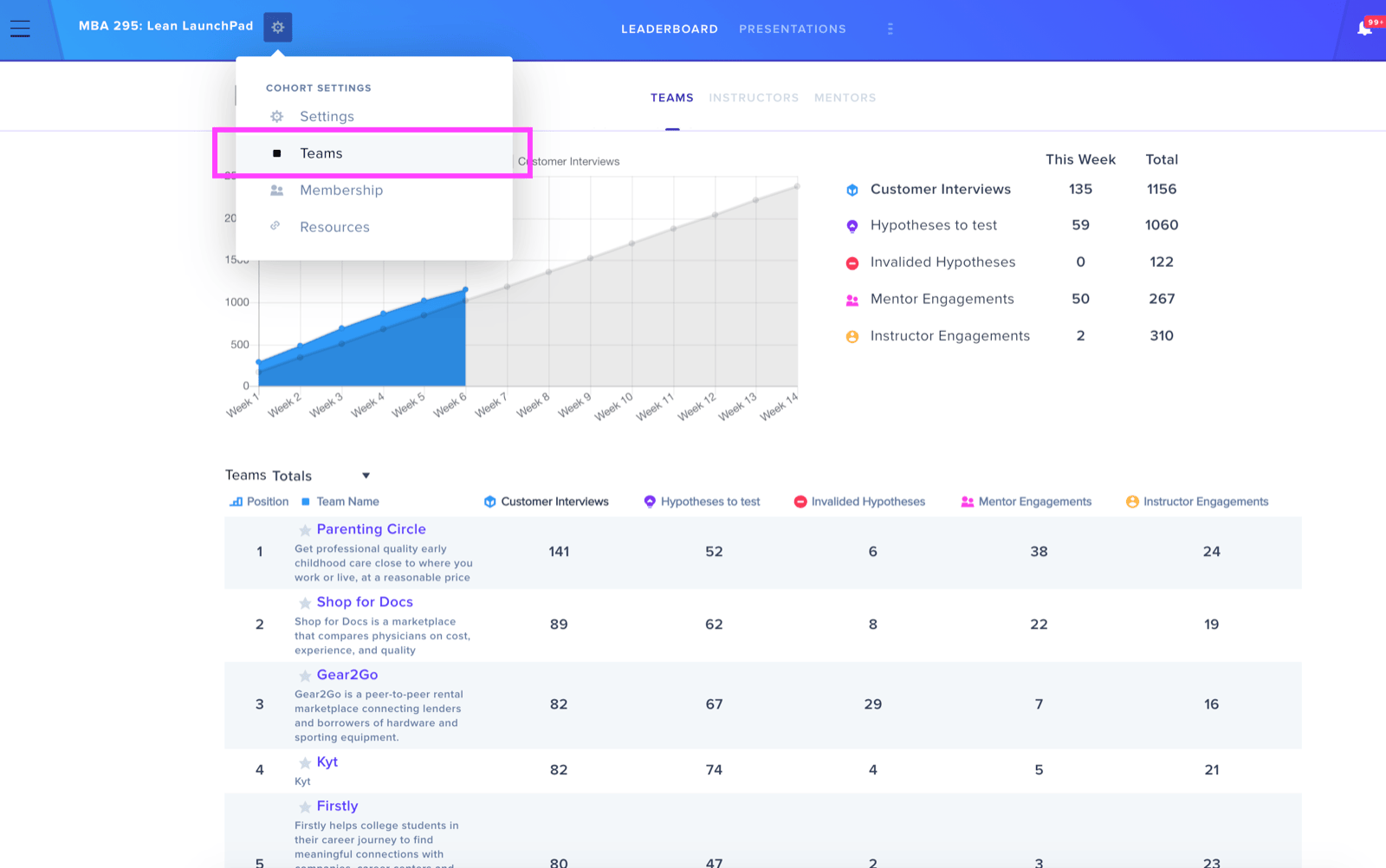
Organization Owners and Cohort Admins can archive teams through Cohort Settings > Teams. Hover over a team name and select the Archive Team icon.
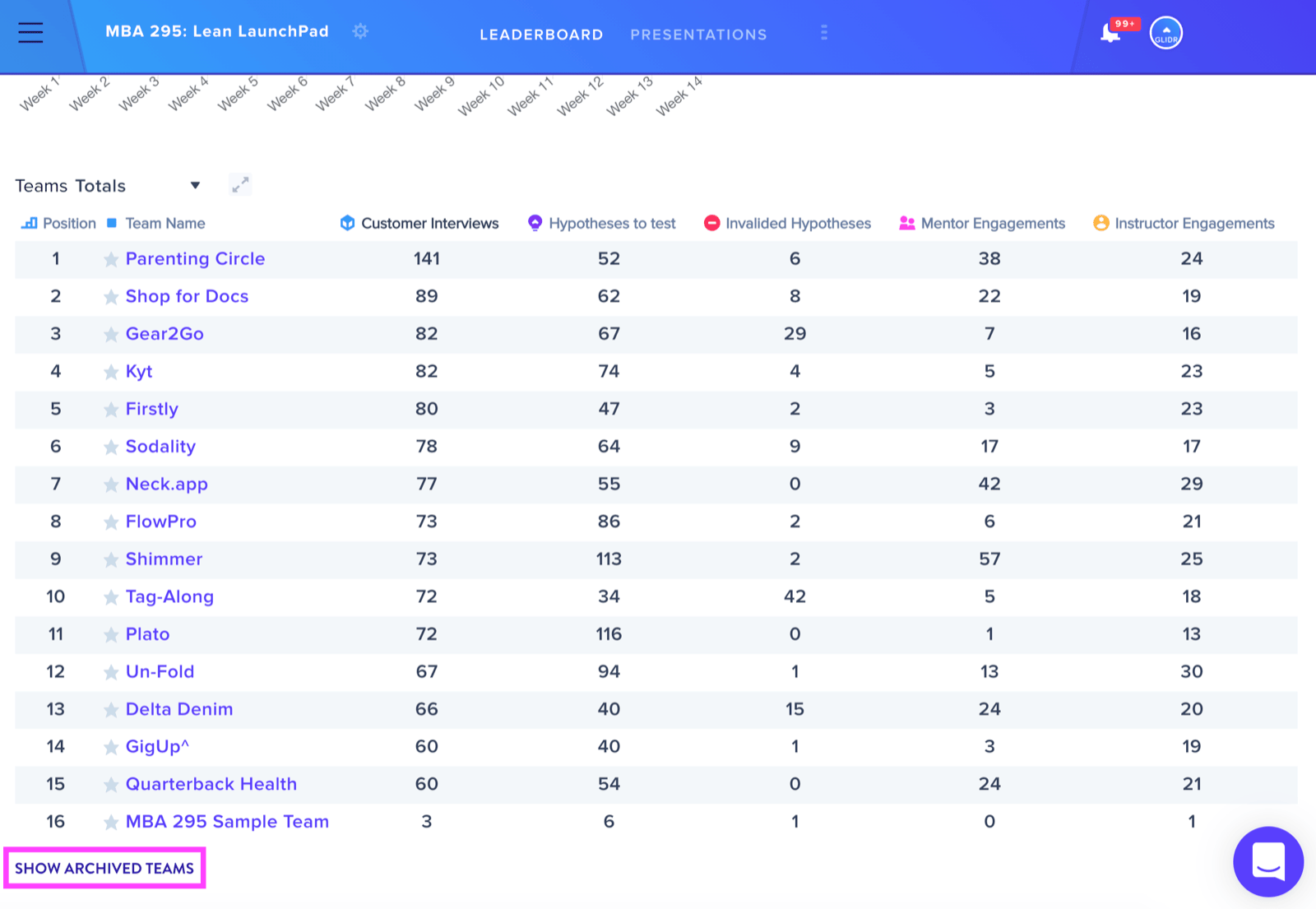
Note: Hypotheses and Evidence added to the archived team will still be included in the Leaderboard's total metrics.
To view archived teams, select Show Archived Teams at the bottom left.
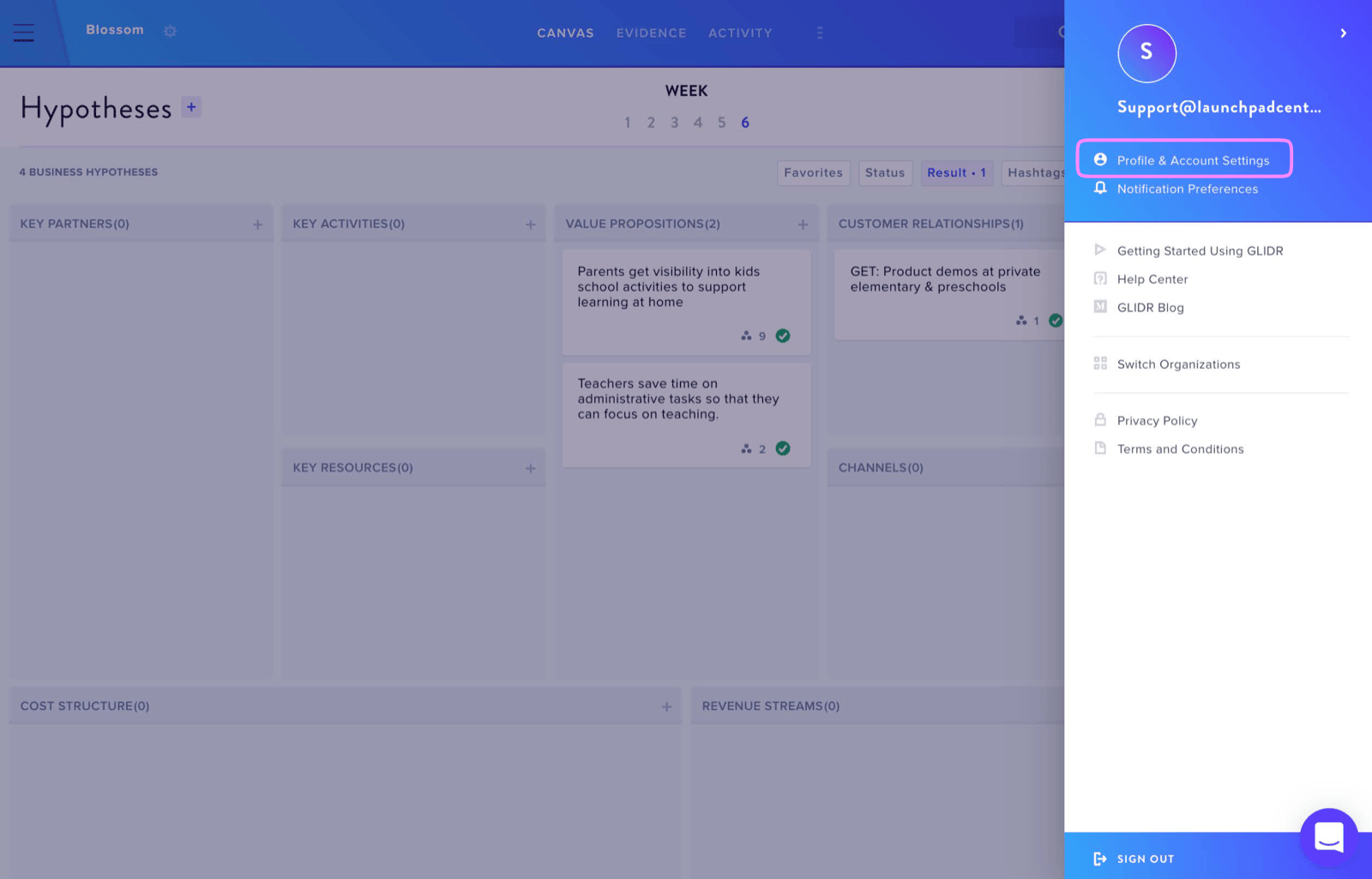
How do I change email addresses?
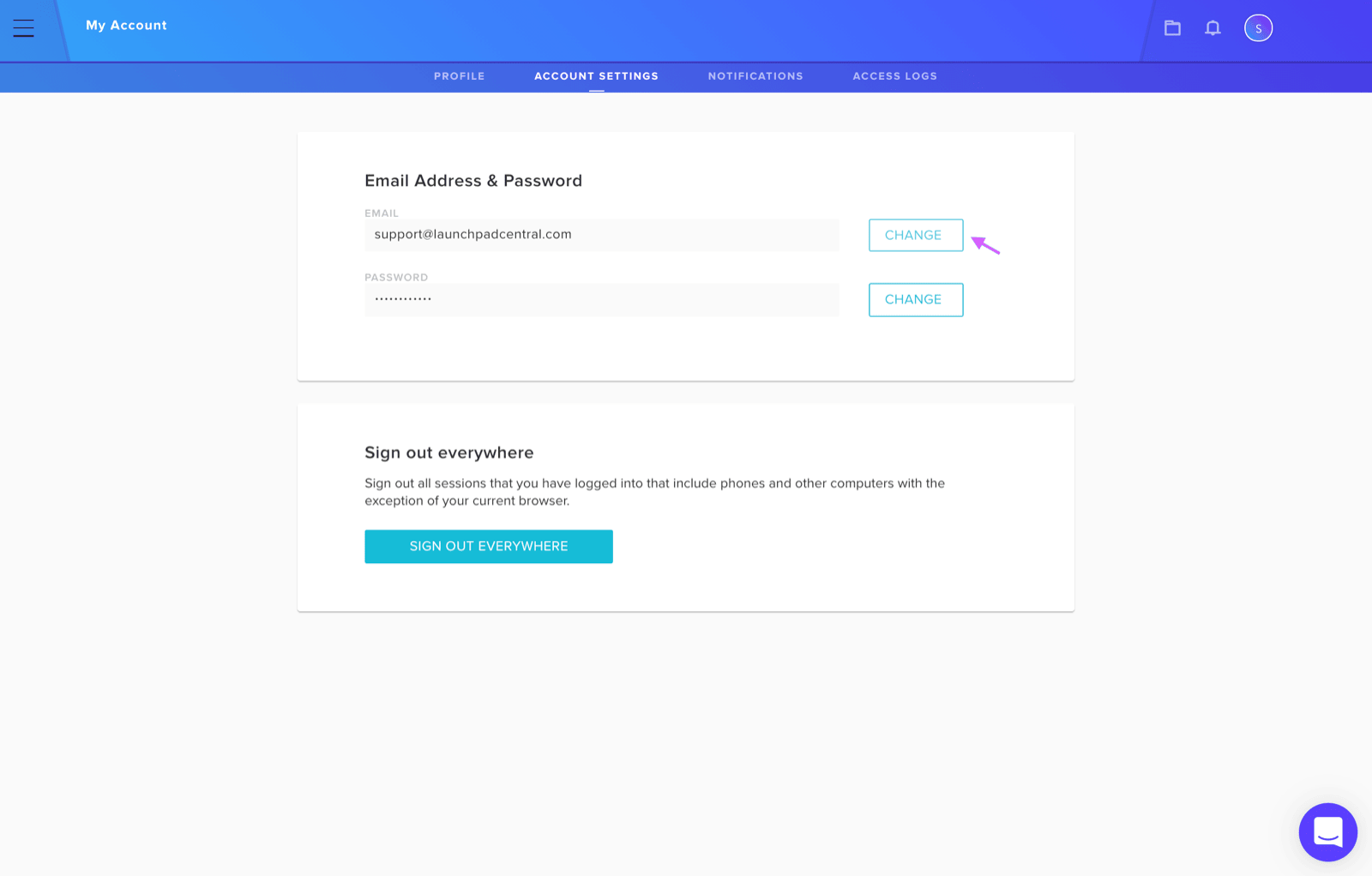
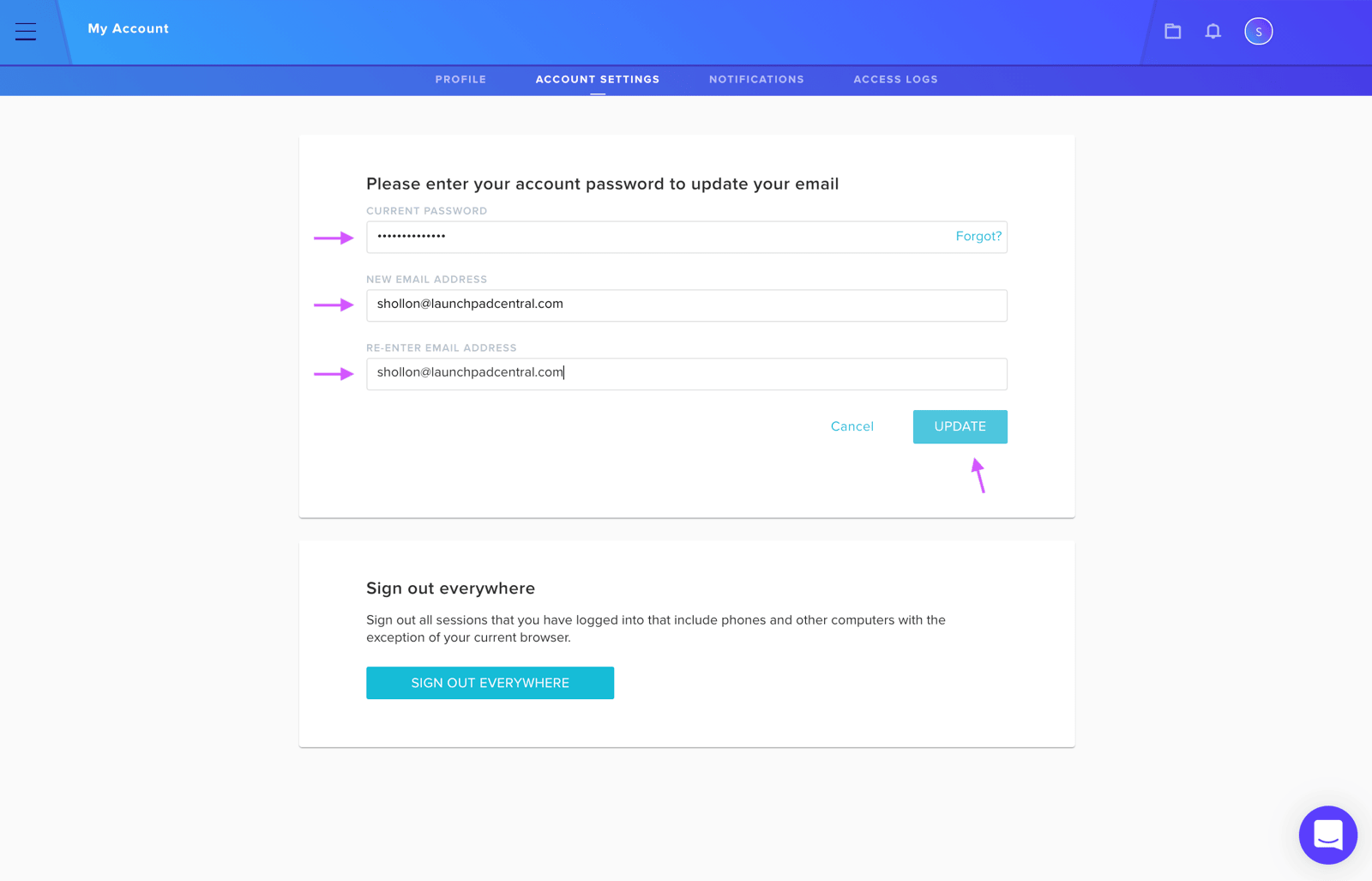
Click your Profile Icon at the top right and select Profile and Account Settings. Go to the Account Settings tab and click Change. Enter your current password and new email address, then click Update.