
The platform offers two canvas templates for projects and cohorts. The Business Model Canvas serves as the default, while all tiers can alternatively use the Mission Model Canvas.
For Academic Users
To change the canvas template for a cohort, navigate from the Leaderboard to the Cohort Settings icon in the top left corner and access Settings. In the Default Canvas Template section, select your preferred template.
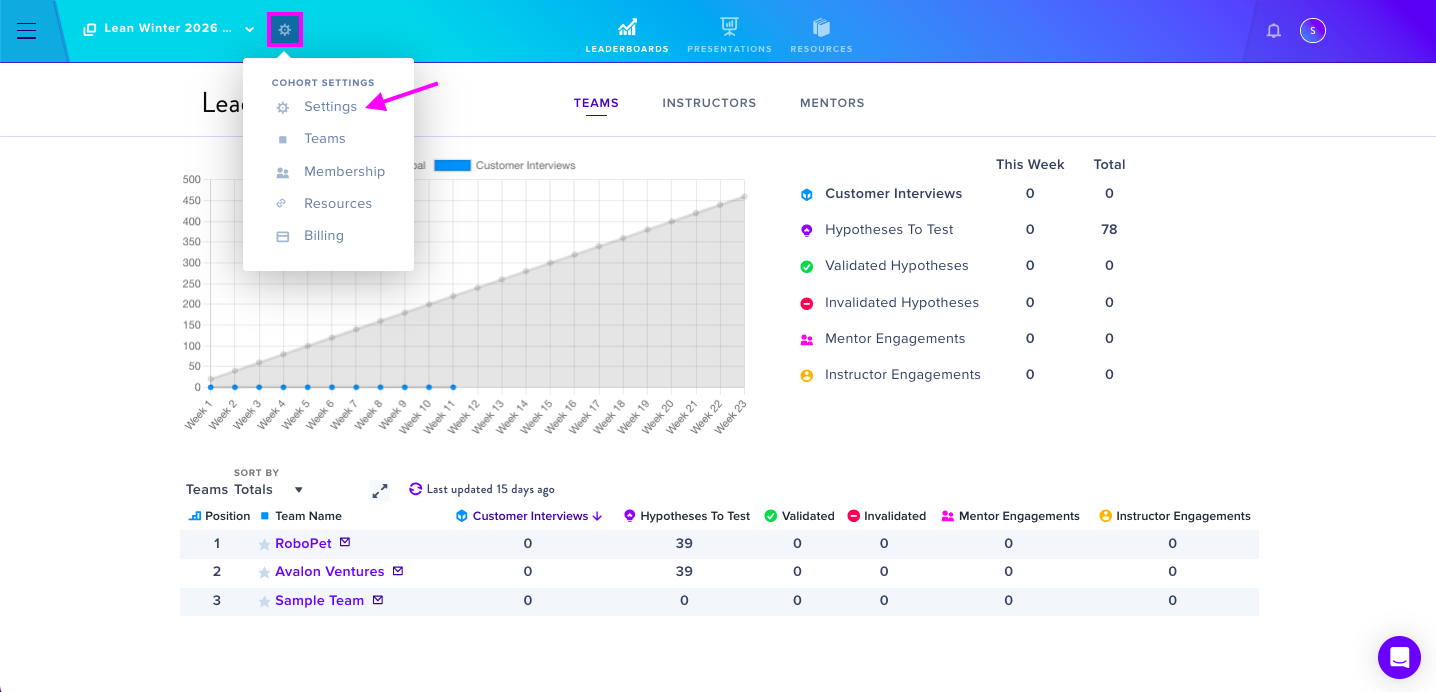
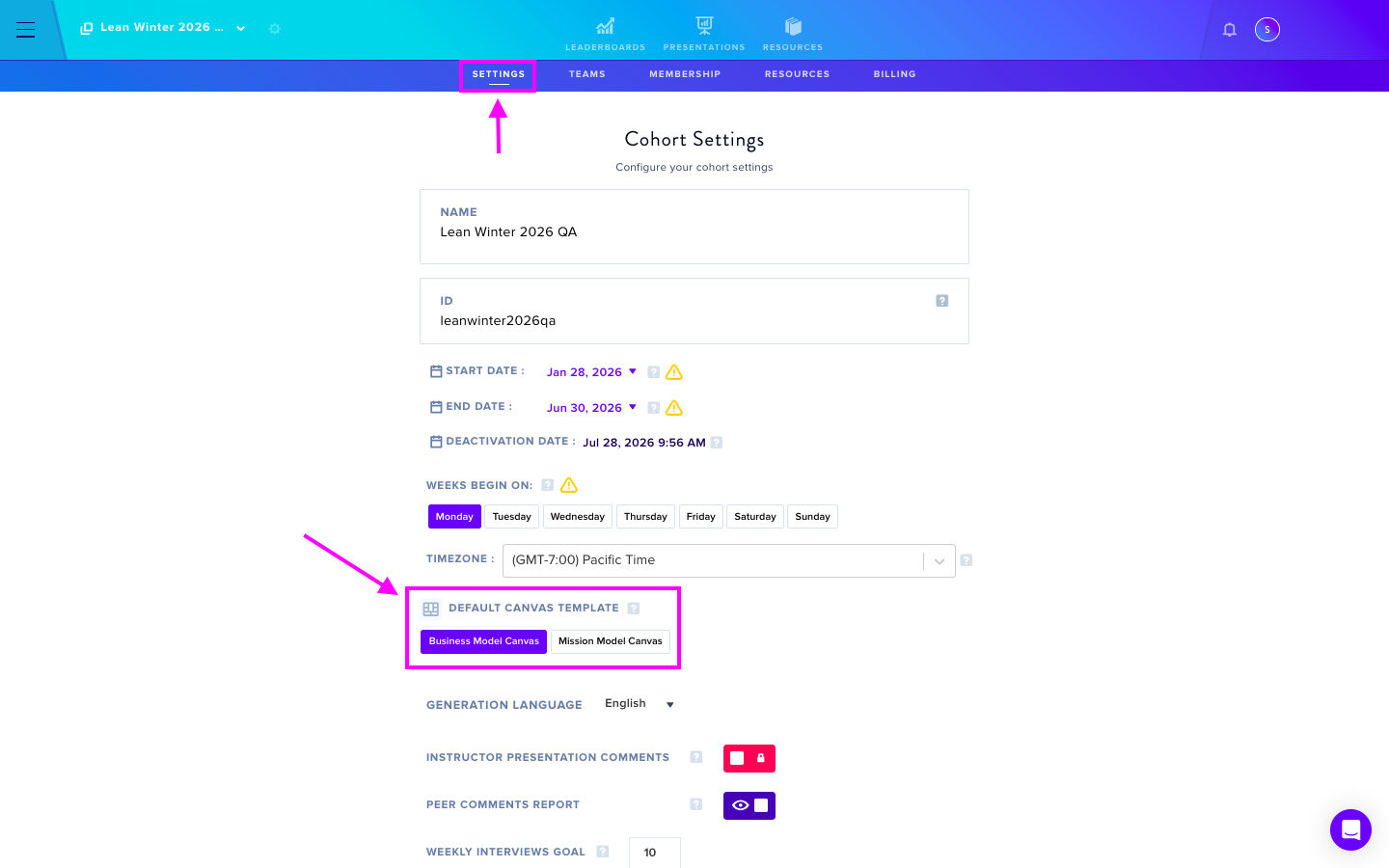
Important: you can not change the canvas structure after a team has been created.
For Garage, Business, and Enterprise Users
During project creation, access Advanced Settings and locate the Default Canvas Template section. Choose between the default Business Model Canvas or the Mission Model Canvas option.
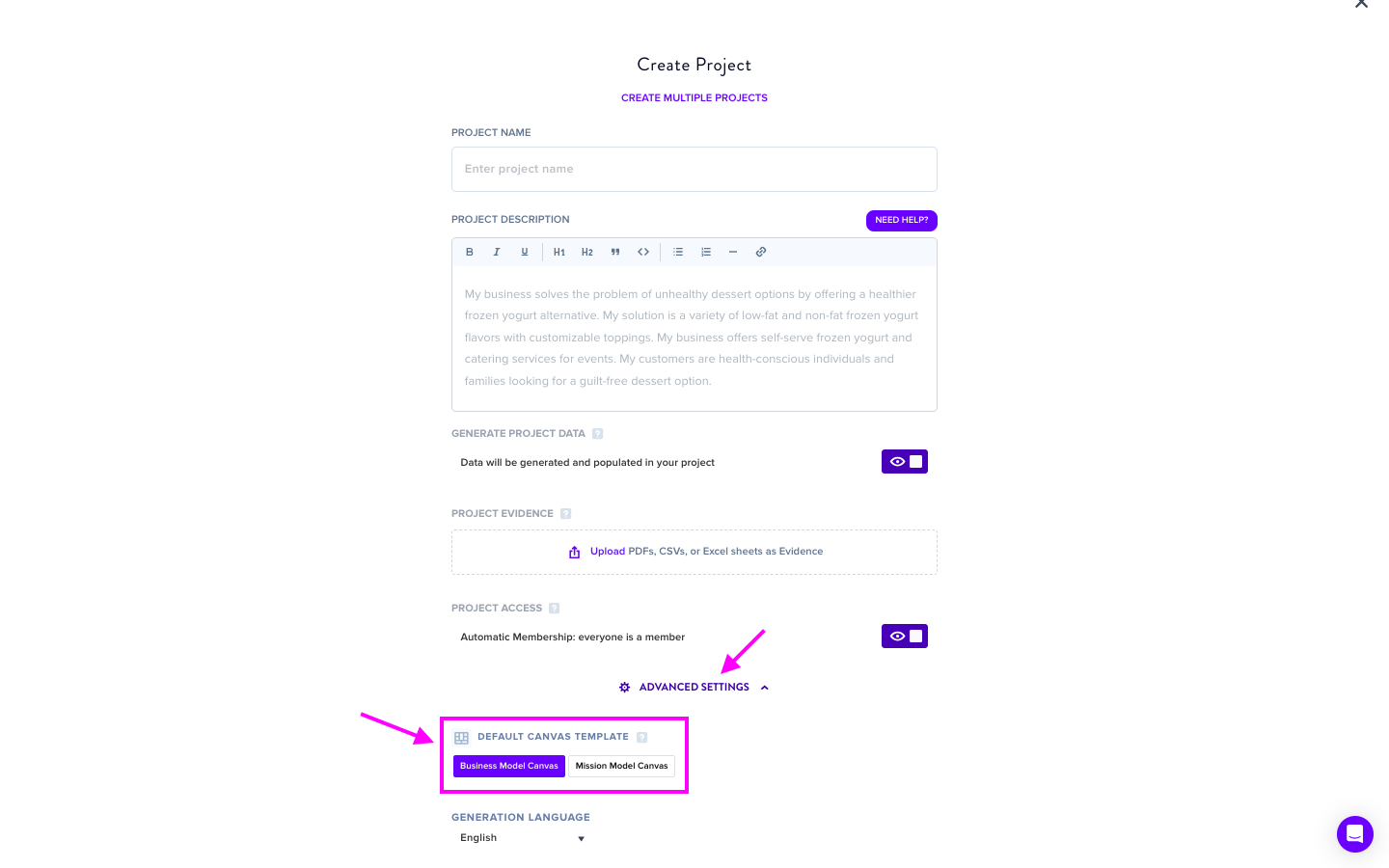
Important: you can not change the canvas structure after a project has been created.