
Organization Owners and Cohort Admins have the ability to archive teams, which removes them from the Leaderboard view.
How to Archive a Team
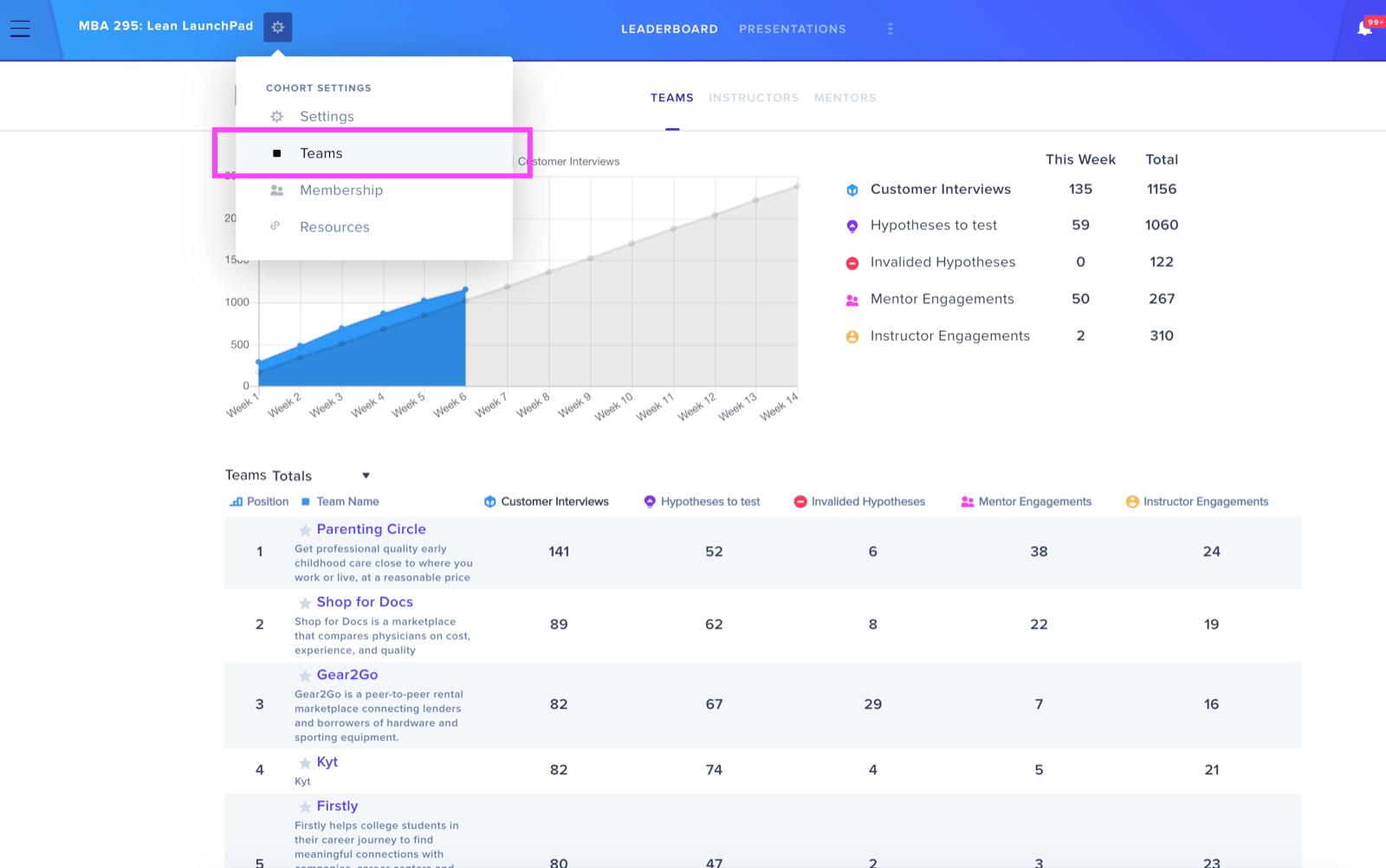
To begin the archival process, locate the Cohort Settings icon positioned next to the Cohort Name in the top left area of the screen. Select this icon and navigate to the Teams section.
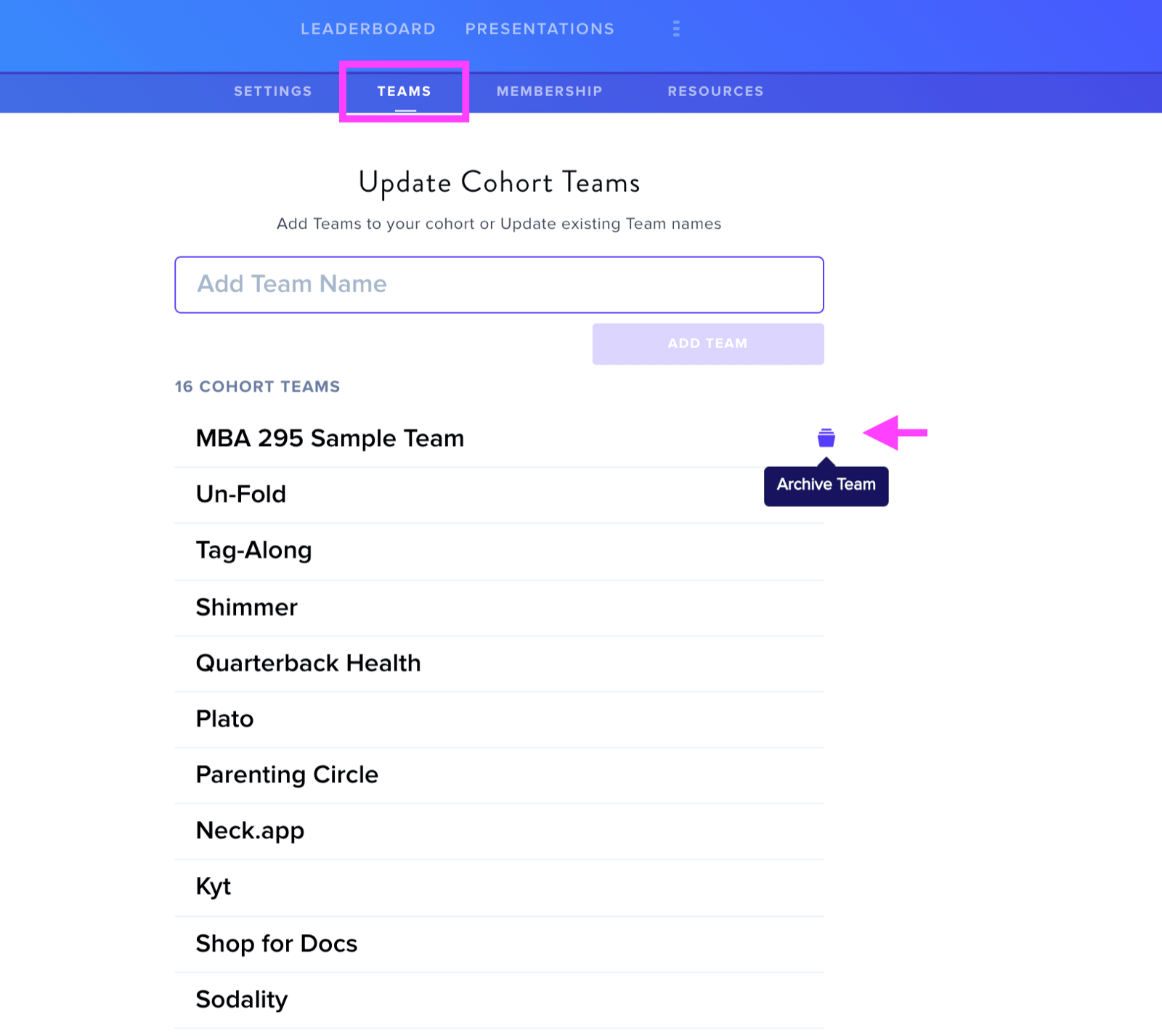
Within the Teams tab, hovering over any team name reveals an archive option. Clicking the Archive Team icon will conceal that team from the cohort's Leaderboard.
Viewing Archived Teams
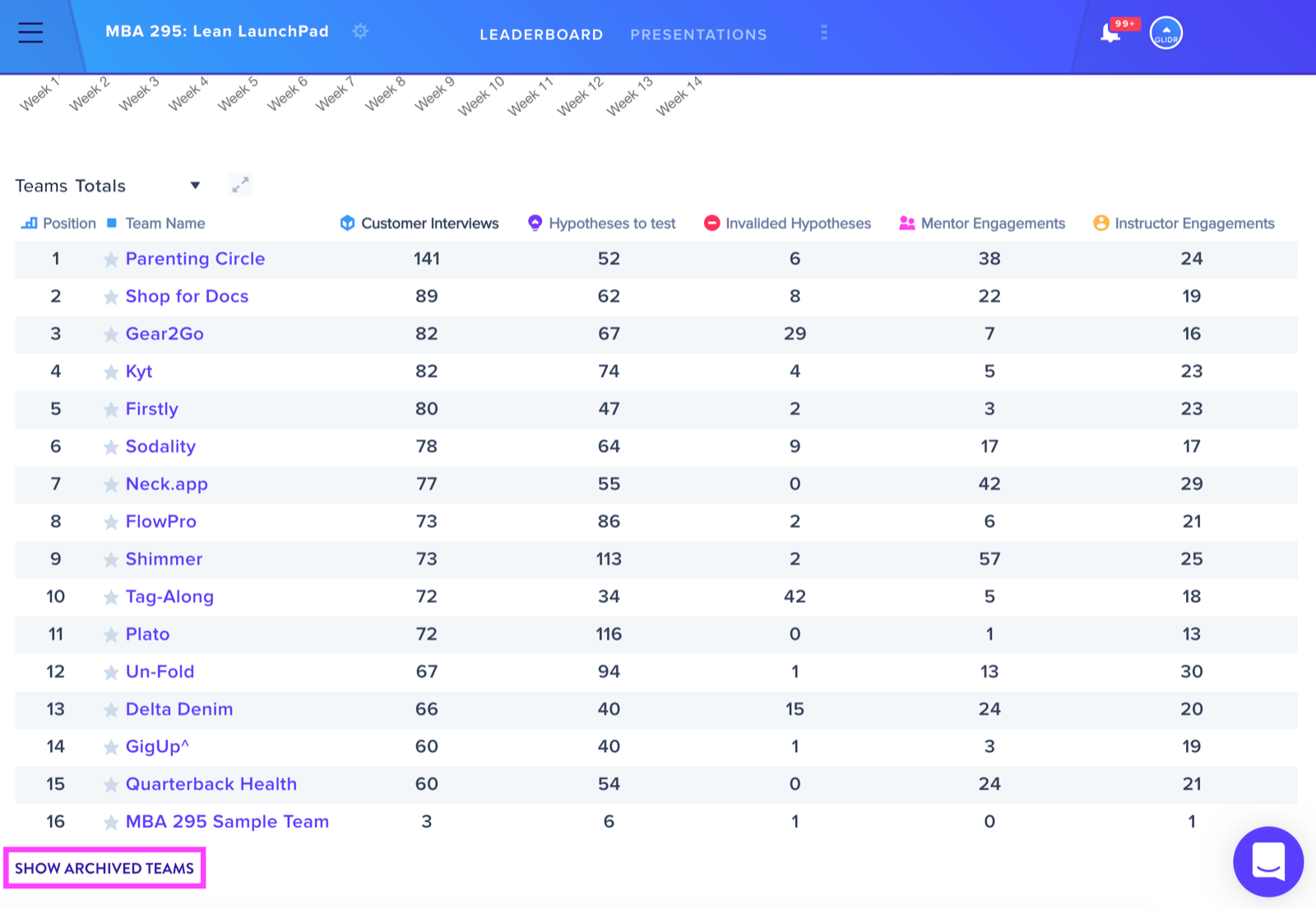
Should you wish to see archived teams again on your Leaderboard, a Show Archived Teams button is available at the bottom left of your screen.
Important Consideration
Hypotheses and Evidence added to the archived team will still be included in the Leaderboard's total metrics. This means archiving only hides the team visually — the data it contributed remains part of overall leaderboard calculations.