
Hypotheses represent core project components within your Business Model Canvas. They accumulate as you gather evidence through tests and customer interviews to validate or invalidate your assumptions.
Card Details
When you open a hypothesis, you'll find a full interface for describing it and connecting evidence. The numbers below correspond to the callouts on the screenshot:
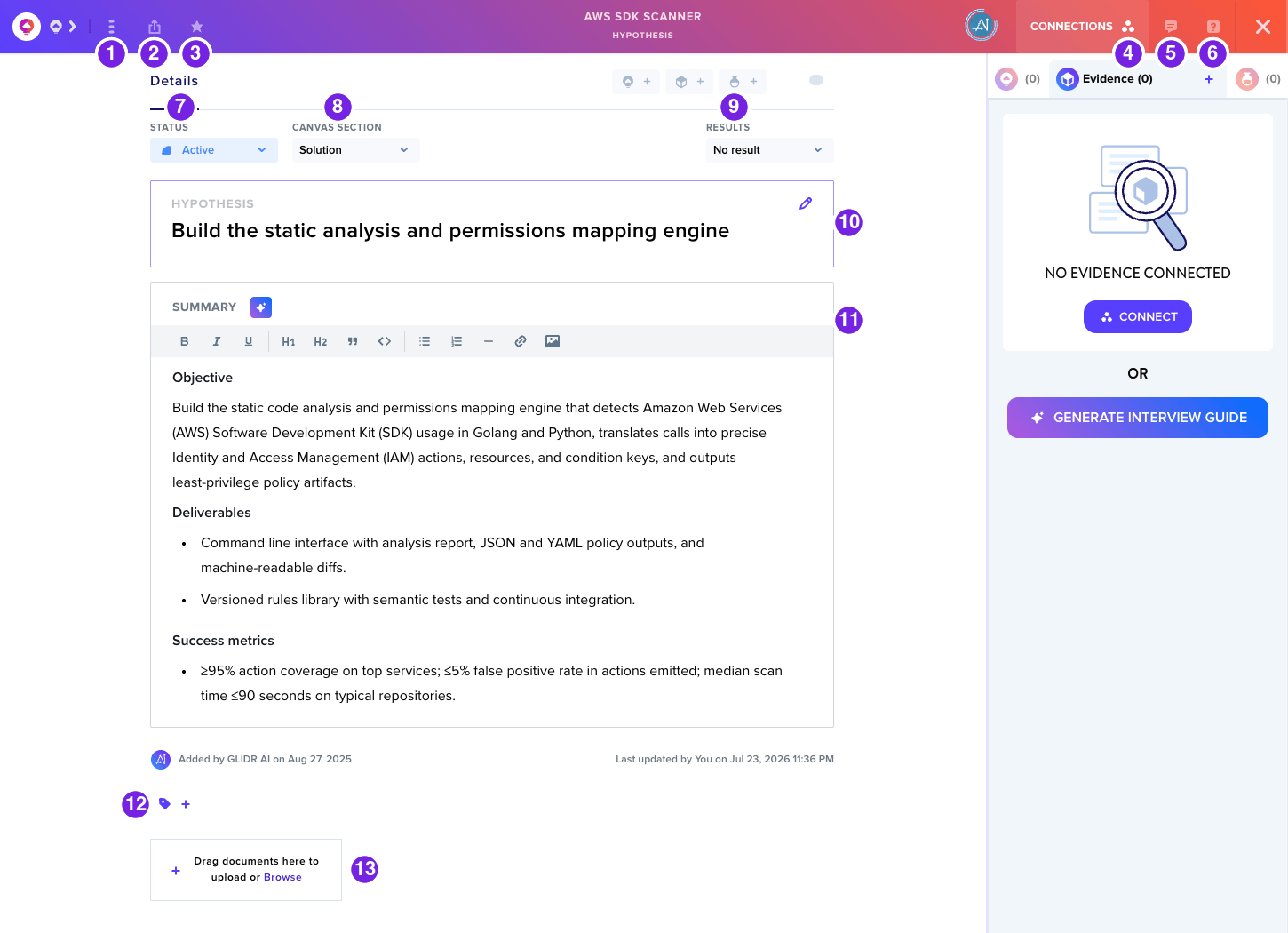
- Options Menu — Delete the hypothesis or switch between Business and Product Idea
- Export — Export the hypothesis
- Favorite — Bookmark the hypothesis for quick retrieval
- Connections — Open the Connections sidebar to view and manage linked hypotheses, ideas, evidence, and experiments
- Comments — Open the Comments sidebar
- Help — Open the Help sidebar
- Status — Update the hypothesis state
- Canvas Section — Assign the hypothesis to a Business Model Canvas section
- Results — Mark the hypothesis as validated or invalidated
- Hypothesis — Brief description field
- Summary — Detailed notes section, with GLIDR AI assistance
- Tags — Add searchable tags
- Attachments — Upload recordings, photos, or documents
Connections
The Connections sidebar is where you link and rate the hypotheses, evidence, and experiments related to this card. Filter connections by type, use the Connect buttons to add new links, and watch the confirming/disconfirming counts build as you gather supporting or opposing evidence.
For additional guidance, refer to the article on adding hypotheses.