
Instructor Presentation Comments are configured to be Private by default, restricting visibility to Cohort Admins and Instructors only. However, instructors have the option to change this setting to Public to allow all cohort members to view both existing and new comments.
Method 1: Via Presentations Tab
When setting up a Presentation date under the Presentations tab, instructors can adjust the comment visibility settings to make them publicly accessible.
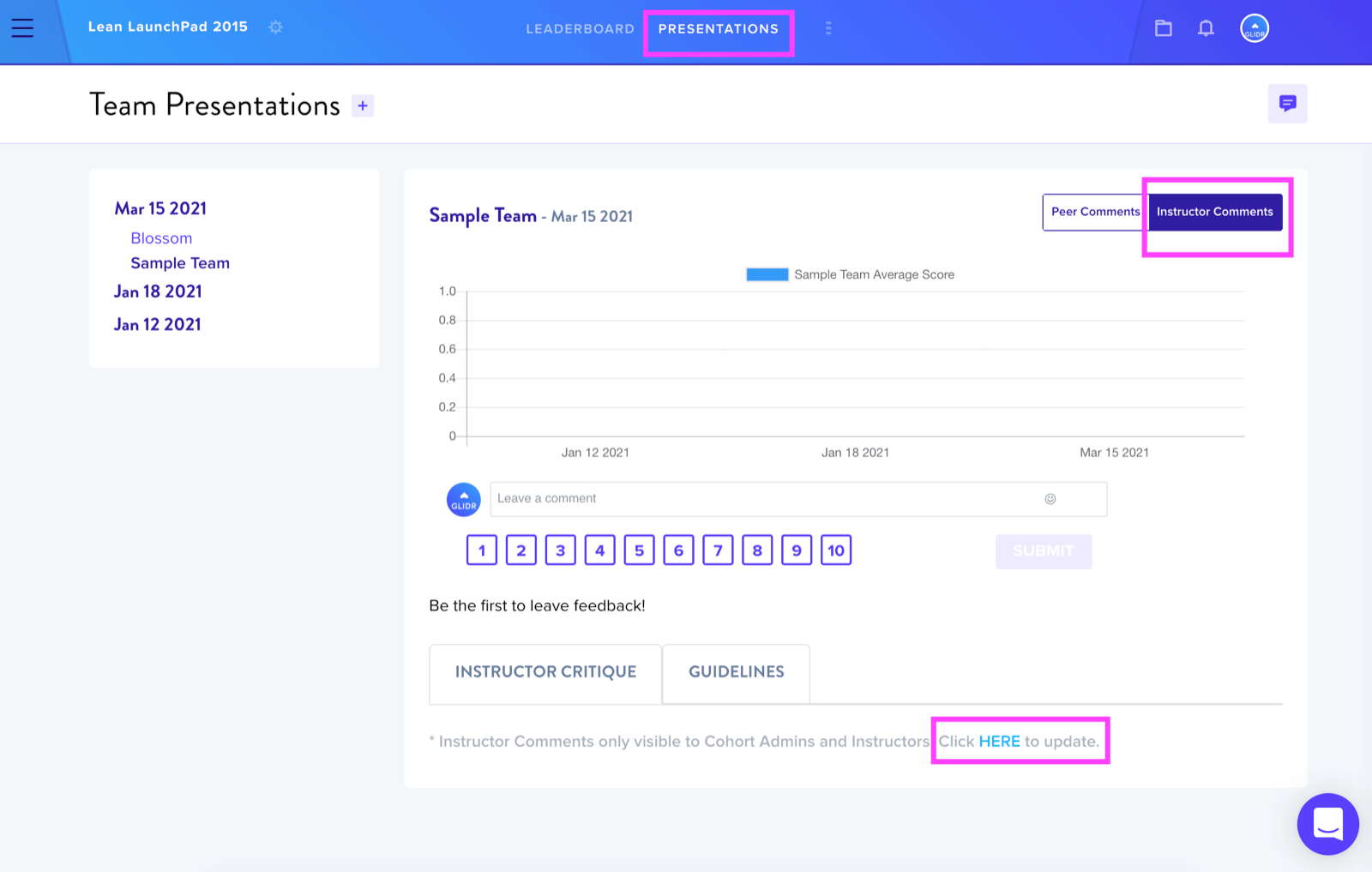
Method 2: Via Cohort Settings
An alternative approach involves navigating through Cohort Settings:
- Access the Leaderboard view
- Locate and click the Wheel icon positioned to the right of the cohort name
- Select Settings from the menu
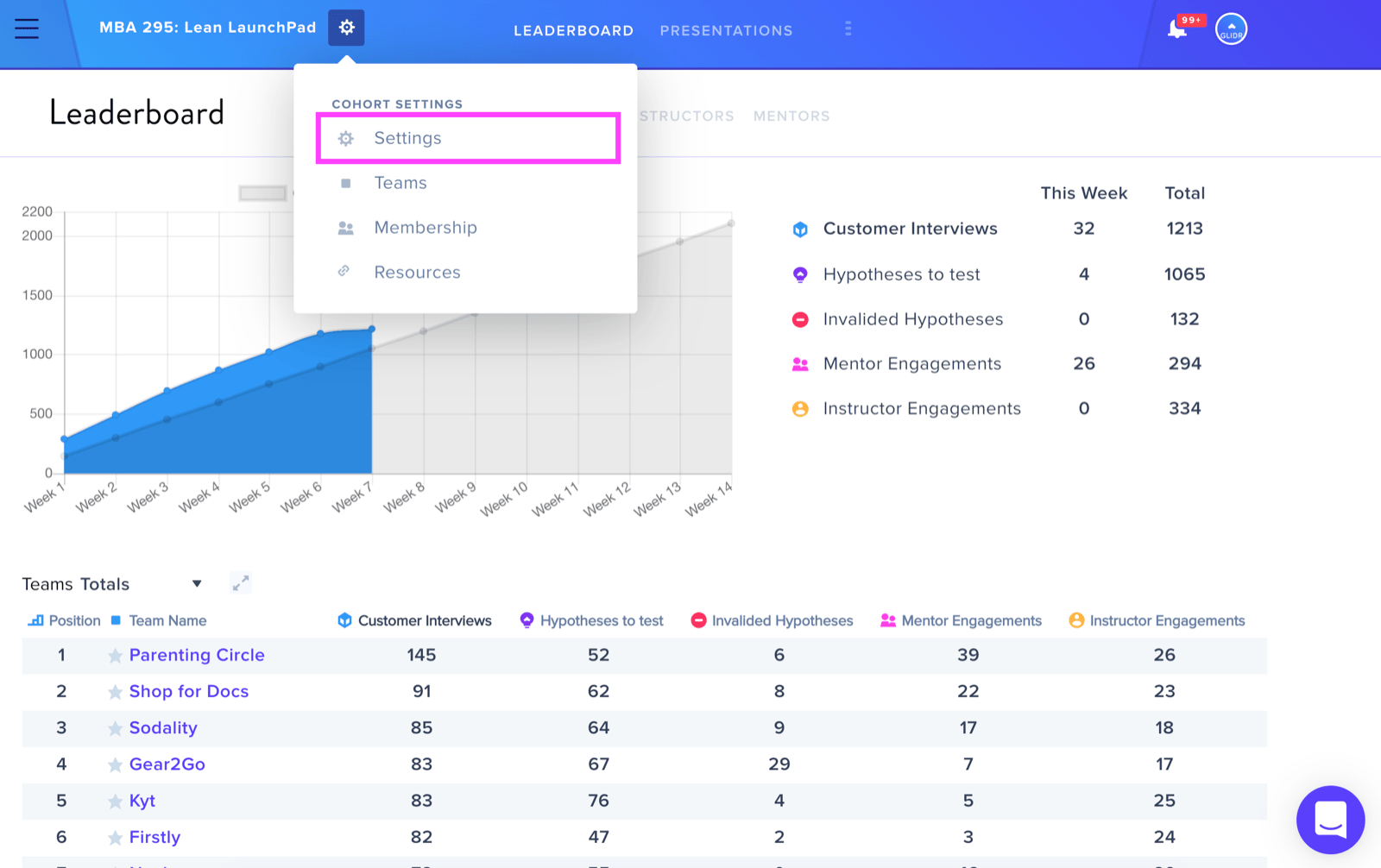
On the Settings page, instructors will find a colored box adjacent to Instructor Presentation Comments. Click on the red box next to Instructor Presentation Comments to make your comments public. A confirmation pop-up will appear to verify the change.
Visual Indicators
The status box uses color coding:
- Red box = Comments are currently Private
- Purple box = Comments are currently Public and viewable by all cohort members
To revert public comments back to private status, repeat the process by clicking the box again.