
Congratulations! You have successfully completed your cohort. You left the building, validated your assumptions, and are ready to take the next step in ideation and customer discovery. So now what?
If you're looking to continue your work outside of your cohort, it's time to Lift Off and migrate your project into its very own GLIDR organization.
As seasoned platform users, you'll have access to the Business tier for a trial period in order to enjoy NEW features to support your product development such as roadmapping, feature prioritization scoring, running experiments, and integrations with helpful product management tools like Trello.
Migration Steps
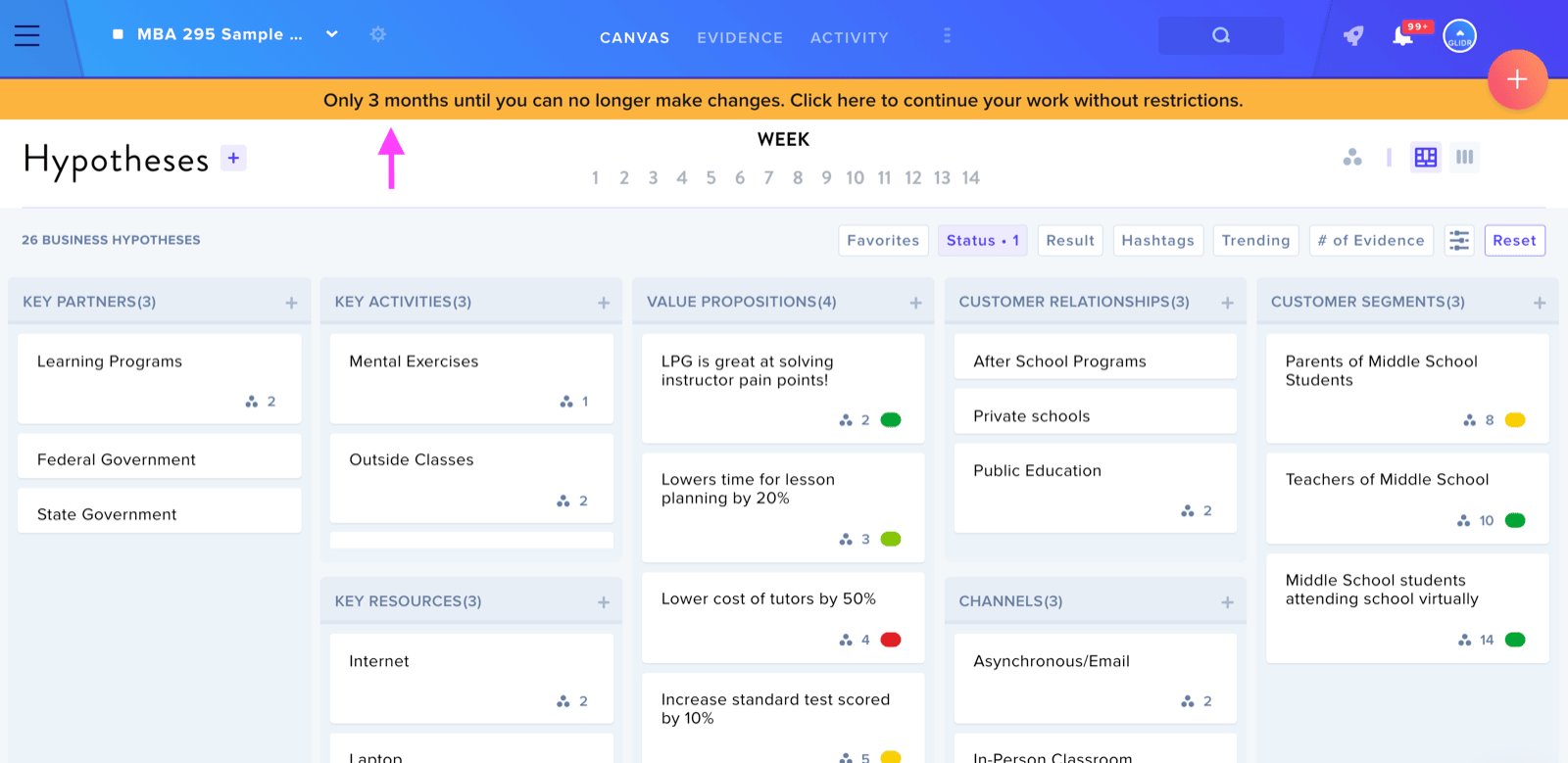
In order to migrate to GLIDR, navigate to your Team's Canvas and click on the yellow notification bar at the top of the screen.
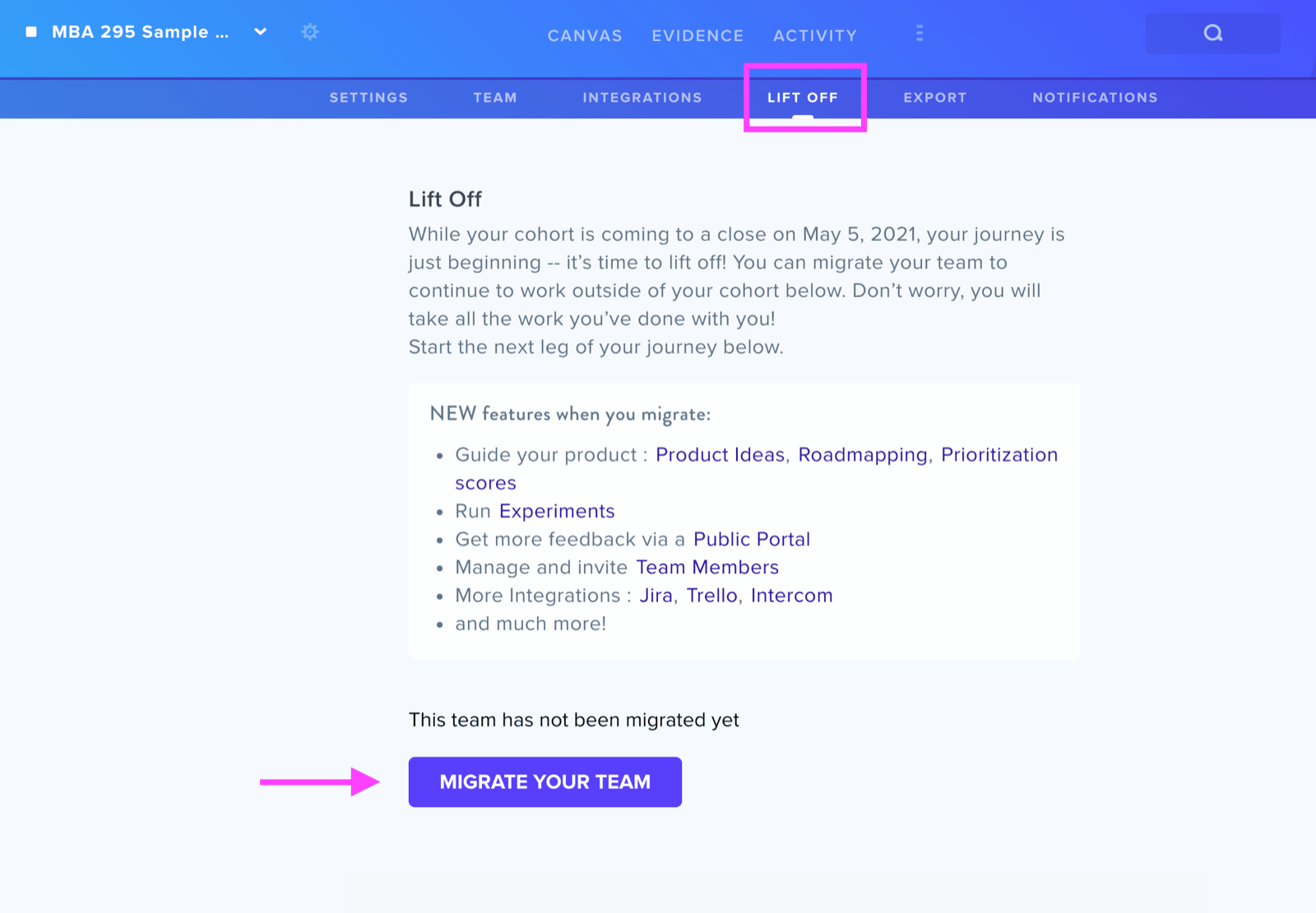
You will then be directed to the Lift Off page. From here, click on the Migrate Your Team button to begin migrating your project's data.
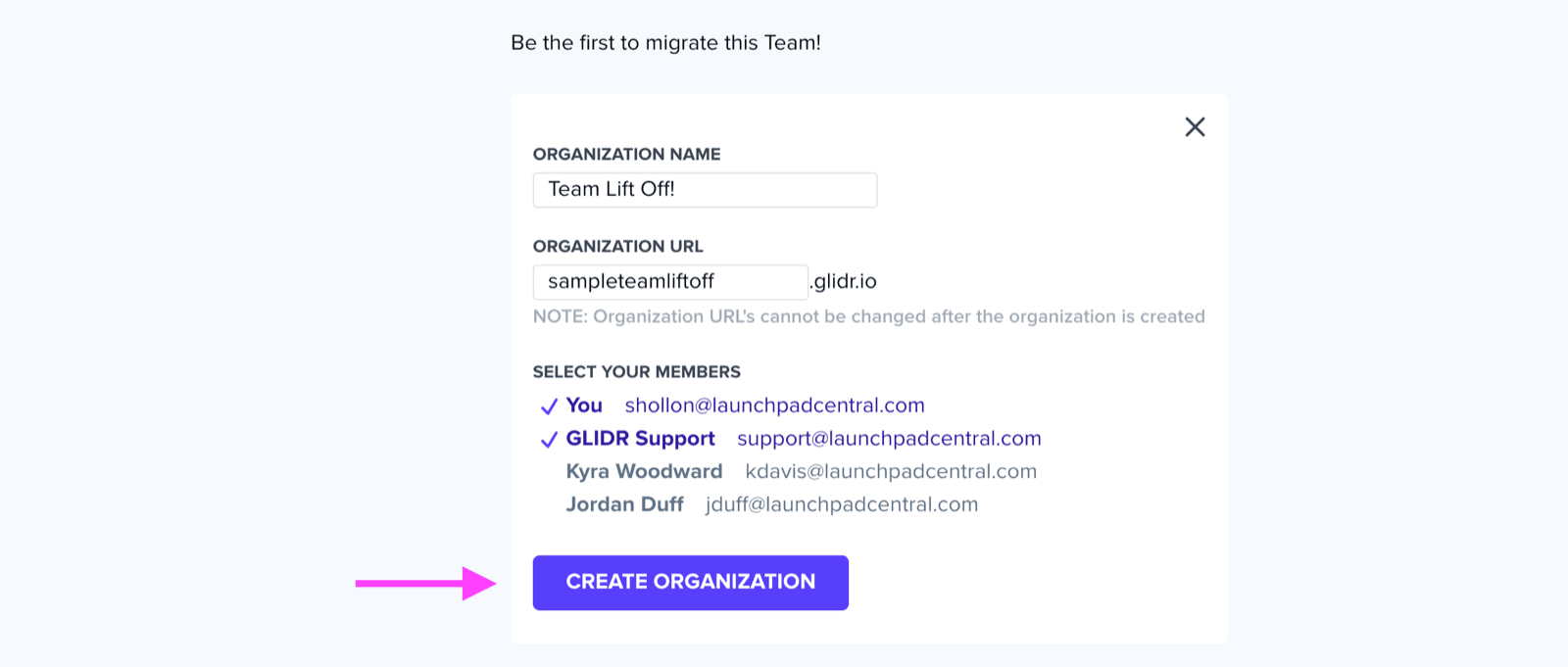
Enter your new organization's information and add the team members you would like to have access to it. Then click the Create Organization button.
When successfully migrated, your new organization will appear on the Lift Off page. Click on your new organization's name, and you will be navigated to your project's new home!
Happy innovating!